
Loading...
> docs/performance
Performance Troubleshooting
3 min read
Troubleshooting
Last updated March 05, 2026
When Your Instance Feels Slow
If your OpenClaw instance is responding slowly, taking a long time to generate answers, or becoming unresponsive under load, this page helps identify the cause and suggests fixes.
Understand Where Time Is Spent
Response time in an OpenClaw instance depends on several factors:
| Factor | Typical Impact | What Affects It |
|---|---|---|
| LLM response time | 2-30 seconds | Model size, prompt length, provider load |
| Container startup | Up to 60 seconds | Only after restart or rebuild |
| Skill/plugin loading | 1-5 seconds | Number and complexity of installed skills |
| Network latency | Under 100ms | Your location relative to the Falkenstein data center |
The LLM provider is almost always the biggest factor in response time. If your instance "feels slow," check whether the delay is in generating the AI response or in the UI/connection itself.
Slow AI Responses
If the AI takes a long time to respond:
Check your LLM tier:
| LLM Tier | Model | Expected Speed |
|---|---|---|
| Eco | DeepSeek V3 | Fast for simple prompts, slower for complex reasoning |
| Standard | Gemini | Good balance of speed and quality |
| Premium | Claude Haiku | Fast with high quality |
| BYOK | Your chosen model | Depends on the model and provider |
Slower responses are normal for complex prompts, long conversations, or models that prioritize accuracy over speed.
What you can try:
- Start a new conversation to reduce context length (long conversations accumulate tokens)
- Use shorter, more focused prompts
- If on Eco tier, consider upgrading to Standard or Premium for faster responses
- If using BYOK, check your provider's status page for outages
High Memory Usage
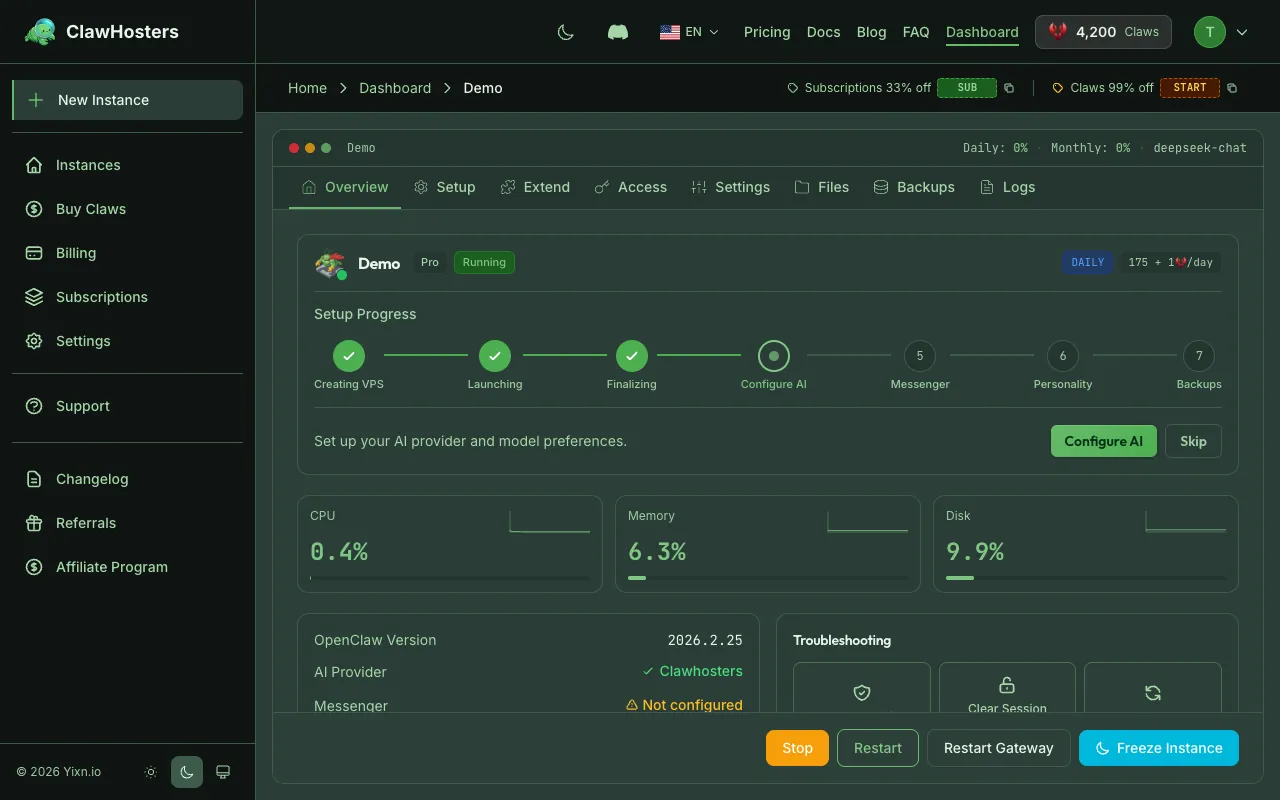
Each instance tier has a memory limit. If your instance exceeds its memory limit, it restarts automatically. This causes a brief interruption (30-60 seconds) while the gateway restarts.
Signs of memory pressure:
- Instance periodically becomes unresponsive for 30-60 seconds
- Dashboard shows the instance restarting without manual action
- Complex operations (web browsing, large file processing) trigger restarts
What you can try:
- Avoid tasks that load large files into memory
- Limit the number of active skills and plugins
- Upgrade to a higher tier if you regularly hit the memory limit
Container Keeps Restarting
If your instance is in a restart loop:
- Check the dashboard. Look for repeated status changes between "Running" and "Deploying."
- Recent configuration changes. If you changed
openclaw.jsonor installed a new skill, it may be causing a crash. - Try rebuilding. A rebuild creates a fresh container with your configuration. Go to your instance dashboard and use the "Rebuild" option.
- Remove recently added skills. If the issue started after adding a skill, that skill may be incompatible.
Slow Web UI Loading
If the web UI itself (not the AI responses) loads slowly:
- Network distance. The data center is in Falkenstein, Germany. Users far from Central Europe may experience higher latency.
- Browser extensions. Some browser extensions interfere with WebSocket connections used by the gateway. Try in an incognito window.
- Port 8080 throttling. Some ISPs or firewalls throttle traffic on non-standard ports. This is rare but possible.
When to Upgrade Your Tier
Consider upgrading if:
- Your instance hits the memory limit regularly (repeated restarts)
- You run multiple skills that consume significant resources
- You need to process large files or run web automation tasks
- Your workload has grown beyond what the current tier supports
Check the Choose Your Tier page for a comparison of what each tier offers.
Related Docs
- Troubleshooting Common Issues. General troubleshooting steps.
- Instance Monitoring and Health. How to monitor your instance.
- Resource Limits. Memory, CPU, and storage limits per tier.
- Choose Your Tier. Tier comparison and upgrade options.
Related Documentation
Scaling and Performance
Getting the Most Out of Your Instance This page covers how to monitor resource usage, recognize ...
Best Practices for Production Use
Running OpenClaw in Production Once your OpenClaw instance is running and connected to your pref...
Understanding Resource Limits
How Resources Are Allocated Each ClawHosters instance runs on a dedicated Hetzner Cloud VPS. The...
