
Loading...
> docs/best-practices
Best Practices for Production Use
4 min read
Advanced
Last updated March 05, 2026
Running OpenClaw in Production
Once your OpenClaw instance is running and connected to your preferred channels, a few habits help keep things reliable and predictable. This page covers what works well based on real-world usage patterns.
Keep Your Balance Healthy
The most common cause of unexpected downtime is running out of Claws. When your balance hits zero, the system pauses your instance and creates a snapshot. Resuming from a snapshot takes 30-60 seconds and your IP address changes.
What to do:
- Check your balance at least once a week
- Set up a recurring purchase if your usage is predictable
- Keep at least 3 days worth of Claws as a buffer
- Monitor the daily deduction rate on your instance dashboard
If you use the daily billing mode, your costs are predictable: the same amount is deducted every day regardless of usage. Subscription billing locks in a monthly rate and avoids the risk of balance depletion entirely.
Choose the Right Tier
Running on a tier that is too small causes memory pressure, which leads to container restarts. Running on a tier that is too large wastes money.
| Tier | Good For | Signs You Need More |
|---|---|---|
| Budget | Single-user, light usage, simple conversations | Frequent restarts, slow responses under load |
| Balanced | Daily use, multiple skills, moderate file processing | Memory warnings, skills failing to load |
| Pro | Heavy usage, web automation, large file processing | None of the above issues |
Start with the smallest tier that handles your workload. Upgrade if you see repeated container restarts or memory-related issues in the dashboard.
Configure Your Instance Thoughtfully
The openclaw.json configuration file controls how your instance behaves. A few guidelines:
- Start with fewer skills and add as needed. Each skill consumes memory. Loading 20 skills on a Budget tier will cause problems.
- Use the built-in skills first. Before installing third-party skills, check if OpenClaw already provides what you need.
- Test configuration changes. After editing
openclaw.json, monitor your instance for a few minutes to make sure everything starts correctly. - Keep a backup of your config. Copy your
openclaw.jsonsomewhere safe before making changes. If a bad config causes a crash loop, you can rebuild and upload the working version.
Manage Conversations
Long conversations accumulate tokens, which slows down AI responses and increases costs for managed LLM tiers. When you notice responses getting slower:
- Start a new conversation for unrelated topics
- Avoid dumping large files into the conversation when a summary would work
- Use focused, specific prompts rather than open-ended ones
Monitor Your Instance
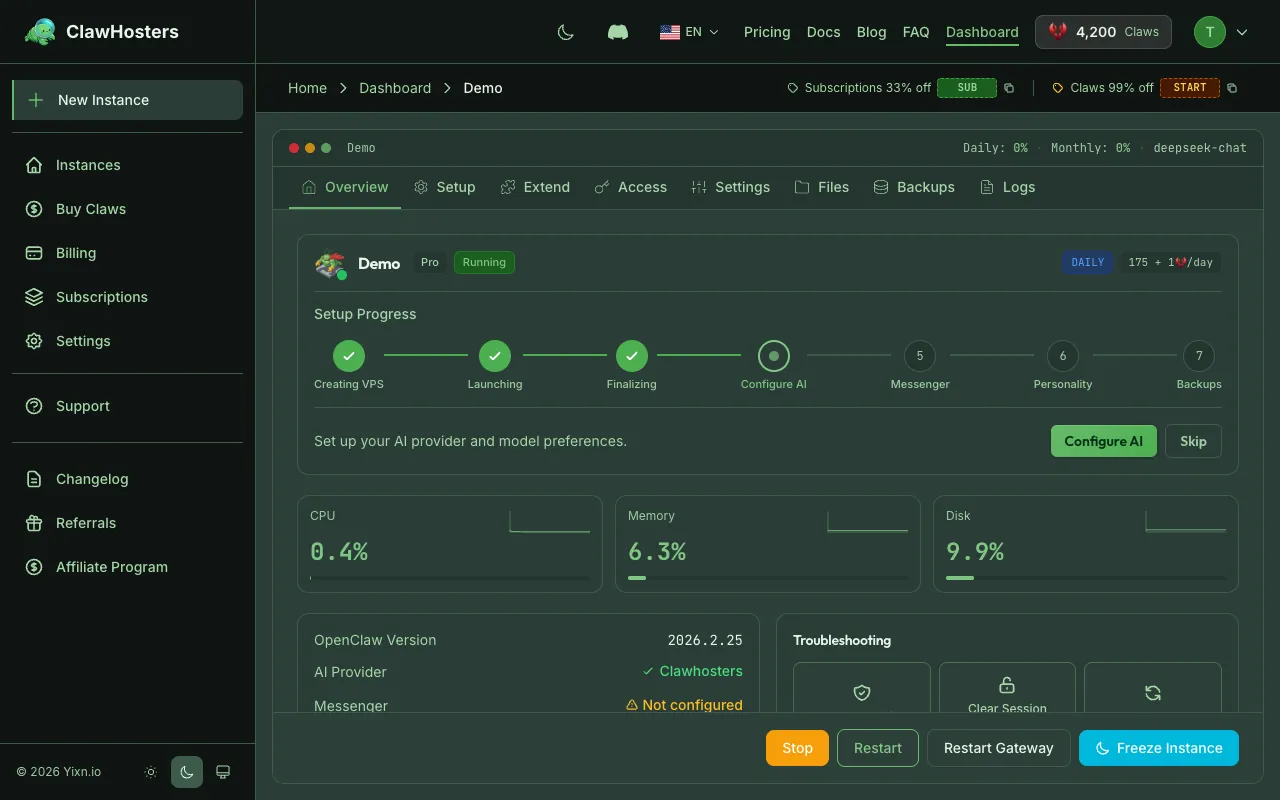
The instance dashboard shows health status, uptime, and resource usage. Check it periodically:
- Status changes. If the instance keeps switching between "Running" and "Deploying," there may be a configuration issue
- Restart count. Frequent restarts suggest memory pressure or a crashing skill
- Response times. If the web UI feels slow, check if the issue is network latency or AI generation time
Secure Your Instance
A few security basics that apply to every instance:
- Keep your gateway token private. Anyone with the token can access your instance's web UI
- Rotate your token periodically. If you suspect it has been shared, rebuild the instance to generate a new token
- Do not expose SSH publicly unless needed. SSH access is optional. Only enable it if you need direct container access.
- Review connected channels. Periodically check which Telegram or WhatsApp accounts are paired to your instance
For full security details, see the Security Overview.
Handle Rebuilds Gracefully
Rebuilding an instance creates a fresh container with your configuration. This is useful when something goes wrong, but it has consequences:
- All channel connections (Telegram, WhatsApp) need to be re-paired
- The IP address may change
- In-progress conversations are reset
- Custom files inside the container are lost (the data volume persists)
Before rebuilding:
- Note your current channel connections
- Save any important conversation history
- Make sure your
openclaw.jsonis backed up - Plan a few minutes of downtime
Related Docs
- Choose Your Tier. Tier comparison and resource limits
- OpenClaw Configuration Reference. How to configure your instance
- Skills and Plugins. Installing and managing skills
- Security Overview. Security hardening for your instance
- Instance Monitoring and Health. Monitoring your instance
Related Documentation
Understanding Resource Limits
How Resources Are Allocated Each ClawHosters instance runs on a dedicated Hetzner Cloud VPS. The...
Choosing the Right Tier
Available Tiers ClawHosters offers three server tiers. Each tier runs the same OpenClaw software...
Creating Your First Instance
What You'll Set Up An instance is a dedicated server running OpenClaw, provisioned exclusively f...
