
Loading...
> docs/what-is-openclaw
What is OpenClaw?
4 min read
Overview
Last updated March 12, 2026
An Open-Source AI Assistant You Can Self-Host
OpenClaw is an open-source framework for running your own AI assistant. It connects to large language models (Claude, GPT, Gemini, DeepSeek, and others) and exposes them through messaging platforms like Telegram, WhatsApp, Discord, and Slack.
You give it an LLM API key, point it at a messaging channel, and it handles the rest: message routing, conversation context, tool use, and multi-platform support. One instance can serve multiple channels at the same time.
What OpenClaw Does
At its core, OpenClaw is a gateway between LLM providers and messaging platforms. It:
- Routes messages from connected channels to your chosen LLM and returns responses.
- Manages conversation context so the assistant remembers what was said earlier in a chat.
- Supports tool use and plugins that extend the assistant's capabilities (web search, code execution, file handling).
- Handles multiple channels simultaneously from a single instance. You can chat on Telegram and Discord at the same time.
- Runs locally or on a server. It's a Node.js application packaged as a Docker container.
Supported Messaging Platforms
| Platform | Connection Method |
|---|---|
| Telegram | Bot token via BotFather |
| QR code pairing | |
| Discord | Bot token via Discord Developer Portal |
| Slack | Slack App with OAuth (coming soon on ClawHosters) |
| Web UI | Built-in gateway interface (no setup needed) |
Each platform connects through the OpenClaw gateway. You configure the channel once, and messages flow between your users and the AI assistant.
Supported LLM Providers
OpenClaw supports major LLM providers out of the box. The most common choices:
- Anthropic (Claude). Strong at coding, analysis, and long-context tasks.
- OpenAI (GPT-4o, o1). General purpose, widely supported.
- Google (Gemini). Good balance of speed and capability.
- DeepSeek (V3). Cost-effective option for lighter workloads.
- OpenRouter. Aggregator that gives access to 200+ models through one API key.
You bring your own API key (BYOK). OpenClaw passes requests to your provider directly. Your key, your usage, your costs.
The Self-Hosting Challenge
OpenClaw is free to use. The code is open source. But running it yourself means handling:
- Server provisioning. Renting a VPS, setting up the OS, installing dependencies.
- Docker configuration. Building or pulling the container image, writing compose files, managing volumes.
- Security hardening. Firewall rules, brute force protection, SSH key management, keeping packages updated.
- SSL certificates. Setting up HTTPS for the gateway interface.
- Monitoring. Watching for crashes, memory leaks, disk space issues.
- Updates. Pulling new versions, testing them, rolling back if something breaks.
For developers comfortable with DevOps, this is straightforward. For everyone else, it's a barrier.
Where ClawHosters Fits In
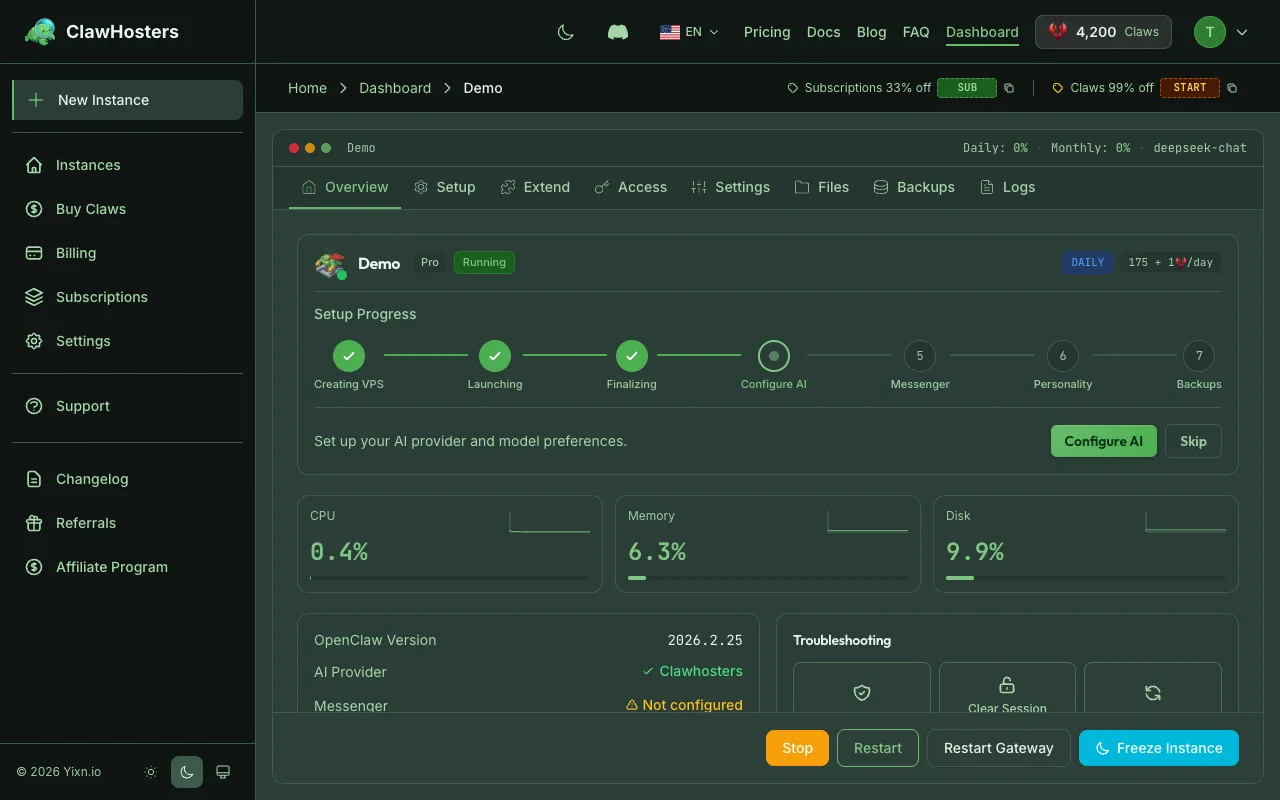
ClawHosters removes the infrastructure work. Instead of setting up servers and Docker, you click a button and get a running OpenClaw instance in about 60 seconds.
Everything that makes self-hosting tedious is handled for you:
- Dedicated VPS provisioned automatically on Hetzner infrastructure in Germany.
- Security hardening applied during setup (firewall, brute force protection, container isolation).
- Pre-configured gateway ready to accept channel connections.
- Web dashboard for managing instances, monitoring status, and adjusting settings.
- Daily or monthly billing with transparent pricing and no hidden fees.
You still bring your own LLM key and choose which channels to connect. The difference is you skip the server management entirely.
OpenClaw Architecture (Simplified)
text
┌─────────────┐     ┌──────────────┐     ┌─────────────┐
│  Telegram    │────▶│              │────▶│  Anthropic   │
│  WhatsApp    │────▶│   OpenClaw   │────▶│  OpenAI      │
│  Discord     │────▶│   Gateway    │────▶│  Google      │
│  Slack       │────▶│              │────▶│  DeepSeek    │
│  Web UI      │────▶│              │────▶│  OpenRouter   │
└─────────────┘     └──────────────┘     └─────────────┘
   Channels              Gateway            LLM Providers
Messages come in from connected channels, pass through the gateway (which adds context and handles tool calls), and get forwarded to your LLM provider. Responses flow back the same way.
Key Technical Details
- Runtime: Node.js 22
- Packaging: Docker container (
ghcr.io/phioranex/openclaw-docker:latest) - Gateway: Accessible through web interface on ClawHosters
- Configuration:
openclaw.jsonfile for plugins, channels, and settings - Storage: Persistent Docker volume for conversation history and configuration
Next Steps
- What is ClawHosters? explains the hosting platform and available tiers.
- Quickstart Guide walks you through creating your first hosted instance.
Related Documentation
What is ClawHosters?
Managed OpenClaw Hosting ClawHosters is a managed hosting platform for OpenClaw AI assistants. Y...
Multi-channel Setup
Using Multiple Channels at Once Your OpenClaw instance supports connecting multiple channels sim...
OpenClaw Configuration Reference
What openclaw.json Does The openclaw.json file is the main configuration file for your OpenClaw ...
