
Loading...
> docs/instance-wont-start
Instance Won't Start
3 min read
Troubleshooting
Last updated March 12, 2026
When Your Instance Refuses to Start
If your instance is stuck or fails to start after pressing "Start" in the dashboard, work through the sections below in order. Most startup failures have straightforward causes.
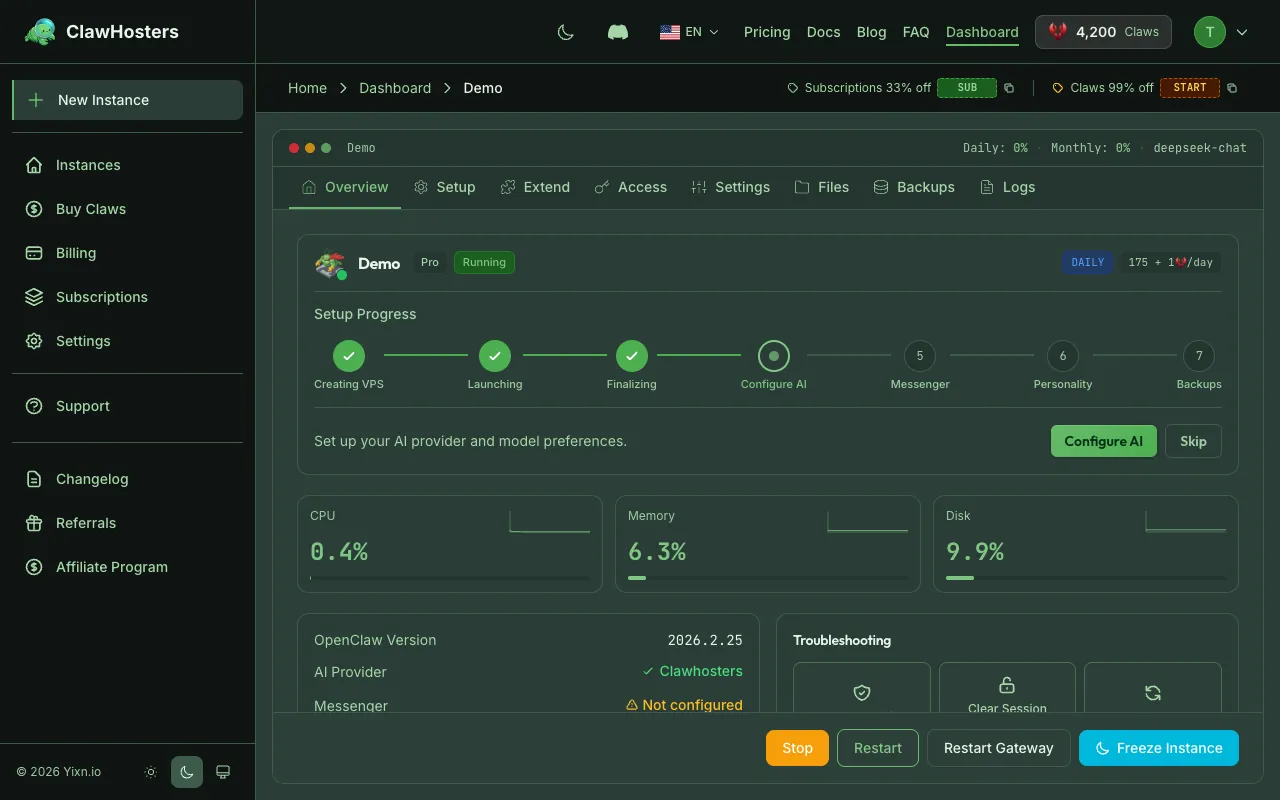
Check Your Balance
The most common reason an instance won't start is insufficient balance. The system requires enough Claws to cover at least one day of operation before starting an instance.
What to check:
- Open your dashboard and look at your Claws balance
- Compare it against the daily rate for your tier (visible on the instance page)
- If your balance is below the daily rate, add funds first
If your instance was paused due to zero balance, it will resume from a snapshot once you add enough Claws. This can take 30-60 seconds as the snapshot is restored to a new VPS.
Check Instance Status
The dashboard shows the current status of your instance. Here is what each status means when your instance is not running:
| Status | What It Means | What to Do |
|---|---|---|
| Paused | Stopped due to low balance, snapshot saved | Add funds, then click "Resume" |
| Deploy Failed | The deployment step failed after provisioning | Click "Retry" on the instance page |
| Provisioning | VPS is still being created | Wait 1-2 minutes |
| Deploying | Your instance is being configured on the VPS | Wait 30-60 seconds |
| Error | An unexpected error occurred | Contact support |
If you see "Deploy Failed," you need to manually retry. The system does not automatically retry failed deployments. Click "Retry" on the instance page to trigger a fresh deployment attempt.
Snapshot Resume Failures
If your instance was paused and you are trying to resume it, the system restores from a server snapshot. This can fail if:
- The snapshot was created from a corrupted state
- The snapshot expired (snapshots are kept for 3 days after pause, then deleted)
If the snapshot is expired: Your instance data is gone. You will need to create a new instance. This is why keeping your balance above zero is important.
If the snapshot restore fails: Click "Retry" on the instance page. If it fails again, contact support with your instance name.
Instance Starts But Shows Unhealthy
If the instance moves to "Running" but the health check shows issues:
- The container may be starting up. The OpenClaw gateway takes up to 60 seconds to become responsive.
- Wait one minute and refresh the page.
- If it stays unhealthy after two minutes, try rebuilding the instance from the dashboard.
Instance Was Working, Now Won't Start
If your instance was running fine and suddenly stopped:
- Check the dashboard for status changes. It may have been paused due to balance depletion.
- Check for infrastructure maintenance. Rare, but infrastructure providers sometimes reboot servers for maintenance.
- Try restarting from the dashboard. Use the "Restart" button.
- Try rebuilding. This creates a fresh container but keeps your data volume.
When Nothing Works
If you have tried all the steps above and your instance still won't start:
- Note your instance name and the current status shown on the dashboard
- Open a support ticket through the dashboard
- Include what you have tried and any error messages you see
Related Docs
- Troubleshooting Common Issues. Provisioning, deployment, and gateway problems.
- Instance Overview. How instances work and their lifecycle.
- Start, Stop, and Restart. Instance power management.
Related Documentation
Troubleshooting Common Issues
Before You Start Most issues resolve themselves within a few minutes. Provisioning takes about 6...
Starting and Stopping Instances
Managing Your Instance Once your instance is running, you can start, stop, and restart it from t...
Instance Monitoring and Health
Overview Every ClawHosters instance includes built-in health monitoring. The instance dashboard ...
