
Loading...
> docs/architecture
Architecture Overview
3 min read
Advanced
Last updated March 05, 2026
How ClawHosters Works
ClawHosters is a managed hosting platform for OpenClaw, an open-source AI assistant framework. This page explains the technical architecture behind the service for users who want to understand what happens under the hood.
The Big Picture
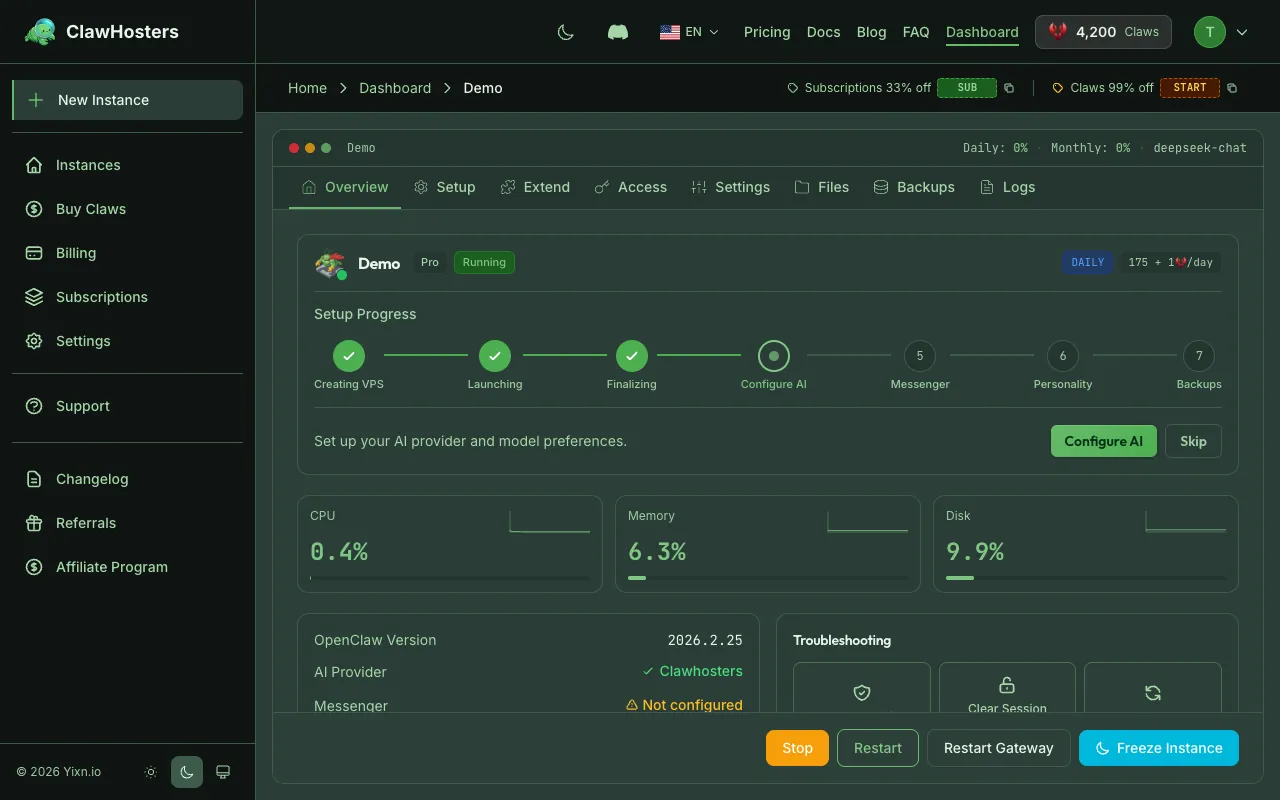
When you create a ClawHosters instance, the following happens:
- A virtual private server (VPS) is provisioned on Hetzner Cloud in Falkenstein, Germany
- A pre-configured snapshot is deployed to the VPS (Docker, firewall, brute force protection already installed)
- Your configuration files are uploaded via SSH
- A Docker container starts running the OpenClaw gateway
- Health checks confirm everything is working
- Your instance is marked as "Running" in the dashboard
The entire process takes under one minute thanks to snapshot-based provisioning.
Infrastructure Components
| Component | Technology | Purpose |
|---|---|---|
| VPS hosting | Hetzner Cloud | Compute resources (CPU, RAM, storage) |
| Container runtime | Docker | Isolates OpenClaw from the host system |
| Web gateway | OpenClaw Gateway | Serves the web UI on port 8080 |
| Firewall | Host-level firewall | Network security, port filtering |
| Intrusion prevention | Brute force protection | Blocks repeated failed SSH attempts |
| Reverse proxy | Nginx | Routes traffic to the Docker container |
Container Architecture
Each instance runs a single Docker container based on a custom image extending the community OpenClaw Docker image. The container includes:
- The OpenClaw runtime and gateway
- A data volume for persistent storage
- A Playwright browsers volume for web automation (pre-installed)
- Environment variables for configuration
The container has resource limits matching your tier. If the container exceeds these limits, Docker restarts it automatically.
Network Architecture
Each VPS has a public IPv4 address. Traffic flows from your browser to port 8080, where Nginx routes it to the Docker container.
Outgoing traffic is filtered for security: - Common spam-related ports are blocked - Protocols commonly used by botnets are blocked - Standard web traffic is allowed
Incoming traffic is limited to SSH, the web UI on port 8080, and a metrics endpoint. Everything else is dropped by the firewall.
Data Storage
Each instance has two types of storage:
Container storage (ephemeral): Files inside the container are lost when the container is rebuilt. This includes installed packages, temporary files, and runtime state.
Data volume (persistent): The Docker data volume survives container rebuilds. This stores your OpenClaw configuration, conversation history, and other persistent data.
Snapshots: When an instance is paused (due to low balance), Hetzner creates a VPS snapshot. This snapshot preserves the entire disk state, including the data volume. Snapshots are kept for 3 days.
LLM Integration
ClawHosters supports multiple LLM tiers:
| Tier | How It Works |
|---|---|
| Eco | Managed access to DeepSeek V3 |
| Standard | Managed access to Gemini |
| Premium | Managed access to Claude Haiku |
| BYOK | Your API key goes directly to your chosen provider |
For managed tiers (Eco, Standard, Premium), ClawHosters handles API key management and billing. For BYOK, the instance connects directly to your provider using your own API key.
Provisioning Pipeline
The provisioning pipeline ensures consistent, fast deployments:
- Snapshot creation. A base snapshot is maintained with all system dependencies pre-installed
- VPS creation. New servers are created from the snapshot, not from scratch
- Configuration upload. Your configuration files are uploaded securely
- Container start. The container starts with pre-pulled images
- Health check. The system waits for the gateway to respond
- Ready. Instance marked as running in the dashboard
Related Docs
- Security Overview. Security architecture details
- Network Security. Firewall rules and network protections
- Resource Limits. CPU, memory, and storage per tier
- Docker Configuration Reference. Container configuration details
Related Documentation
What is ClawHosters?
Managed OpenClaw Hosting ClawHosters is a managed hosting platform for OpenClaw AI assistants. Y...
Docker Configuration
How Docker Is Used Every ClawHosters instance runs OpenClaw inside a Docker container on a dedic...
Instance Overview
What Is an Instance? An instance is a dedicated OpenClaw server running on ClawHosters. It is yo...
