
Loading...
> docs/overview
Instance Overview
4 min read
Instances
Last updated March 12, 2026
What Is an Instance?
An instance is a dedicated OpenClaw server running on ClawHosters. It is your own isolated AI assistant environment with its own configuration, messaging channels, and data.
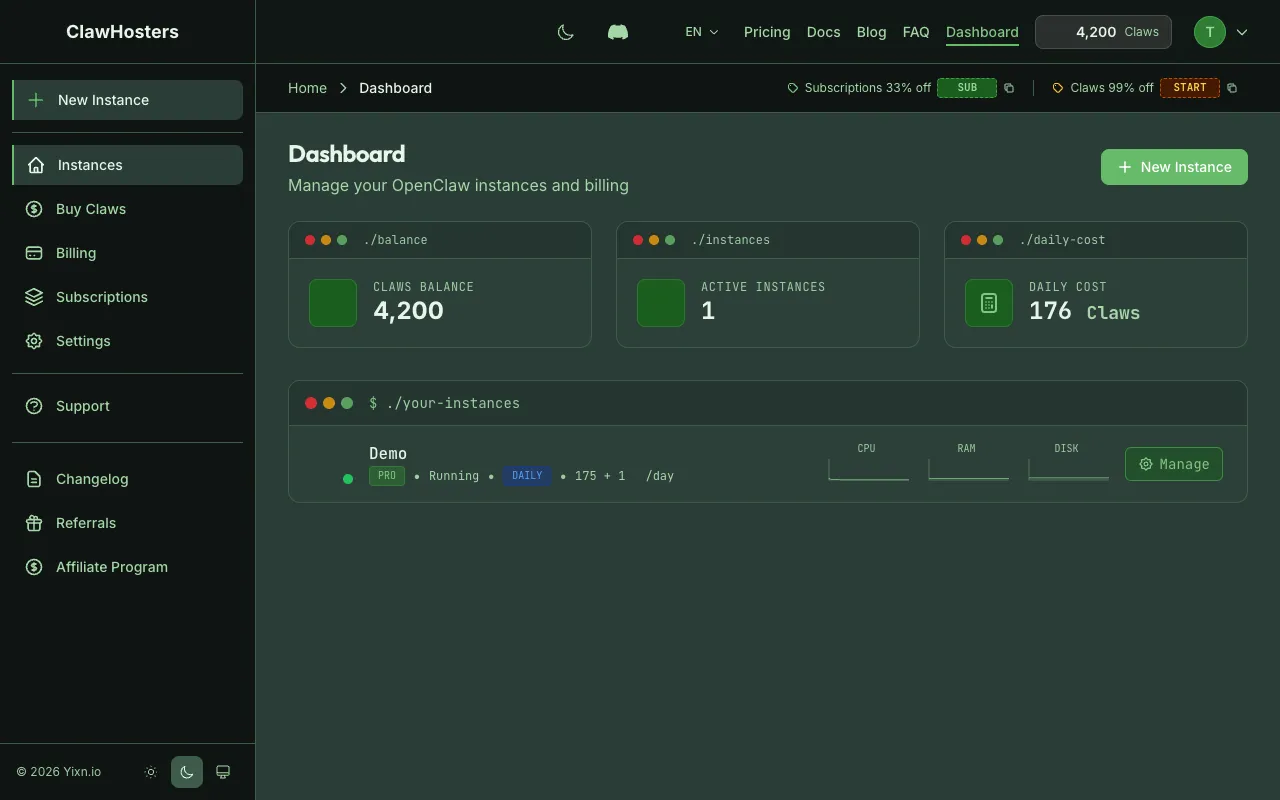
Each instance runs inside a Docker container on a Hetzner Cloud VPS in Germany. You get full control over which LLM provider it uses, which messaging platforms it connects to, and how it behaves.
Instance Lifecycle
Every instance goes through a series of states from creation to deletion. Here is what each status means:
| Status | What It Means |
|---|---|
| Provisioning | The Hetzner VPS is being created. Takes about 30 seconds. |
| Deploying | OpenClaw is being configured and started on the server. Takes about 30-60 seconds. |
| Pending Configuration | The server is ready but needs LLM credentials before it can start responding. |
| Running | The instance is live and processing messages. |
| Stopped | You manually stopped the instance. Billing continues because the VPS remains allocated to your account. |
| Paused | Automatically paused due to low Claws balance. A snapshot was taken. |
| Error | Something went wrong. Check the instance dashboard for details. |
| Deploy Failed | Deployment did not complete. You can retry from the dashboard. |
| Frozen | Reduced billing state (15 Claws/day). Instance data is preserved in a snapshot but the AI agent is not running. |
| Upgrading | Tier upgrade in progress. |
| Updating | A system update is in progress. |
| Restoring | A backup restore is in progress. |
| Backing Up | A backup is being created. |
| Deleting | The instance is being removed. |
Normal Flow
The typical path for a new instance:
text
Provisioning → Deploying → Running
If you chose daily billing without LLM credentials configured:
text
Provisioning → Deploying → Pending Configuration → Running
Pause and Resume
When your Claws balance gets too low, the system takes a snapshot of your instance and shuts down the server. This is the "paused" state. No billing occurs while paused.
When you add more Claws, you can resume. The system restores the snapshot to a new server and your instance continues where it left off, with all configuration and data intact.
text
Running → (low balance) → Paused → (add Claws) → Provisioning → Deploying → Running
What Runs Inside an Instance
Each instance contains:
- OpenClaw Gateway. The web interface and API endpoint for your AI assistant
- Messaging adapters. Connectors for Telegram, WhatsApp, Discord, and Slack
- LLM router. Sends prompts to your configured AI provider (Anthropic, OpenAI, Google, etc.)
- Skills and plugins. Tools your AI can use (web browsing, file handling, etc.)
- Configuration files. Your instance settings, channel tokens, and preferences
All of this runs inside a single Docker container on your dedicated VPS. Your data stays on that server and is not shared with other customers.
Instance Dashboard
Each instance has its own dashboard page showing:
- Status. Current state (running, paused, etc.)
- Gateway URL. Direct link to the OpenClaw web interface
- Connected channels. Which messaging platforms are configured
- Resource usage. CPU, memory, and storage consumption
- Quick actions. Start, stop, restart, configure channels, view credentials
Creating an Instance
You create instances through the setup wizard on the ClawHosters dashboard. The wizard walks you through:
- Billing mode. Monthly subscription or daily Claws
- Tier selection. Budget, Balanced, or Pro
- Messaging channels. Configure Telegram, Discord, Slack (WhatsApp is configured after deployment)
- LLM credentials. Your API key for the AI provider
- Review and deploy. Confirm settings and start provisioning
The entire process takes about 2-3 minutes from start to a running instance.
Limits and Resources
Each instance is isolated in its own Docker container with resource limits based on the tier:
| Resource | Budget | Balanced | Pro |
|---|---|---|---|
| vCPUs | 2 | 4 | 8 |
| RAM | 4 GB | 8 GB | 16 GB |
| Storage | 40 GB | 80 GB | 160 GB |
Multiple Instances
You can run multiple instances on your ClawHosters account. Each instance is independent with its own server, configuration, and billing. Common reasons to run multiple instances:
- Different AI assistants for different purposes
- Separate testing and production environments
- Different LLM providers for different use cases
Each instance incurs its own daily Claws cost or monthly subscription charge.
Related Docs
- Creating Your First Instance. Step-by-step creation walkthrough
- Starting and Stopping Instances. How to start, stop, restart, pause, and resume
- Choosing the Right Tier. Tier comparison and selection guide
- Quickstart Guide. Full setup from account creation to running instance
Related Documentation
Creating Your First Instance
What You'll Set Up An instance is a dedicated server running OpenClaw, provisioned exclusively f...
Quickstart Guide
Before You Start You need a ClawHosters account. If you haven't signed up yet, head to clawhoste...
What is ClawHosters?
Managed OpenClaw Hosting ClawHosters is a managed hosting platform for OpenClaw AI assistants. Y...
