
Loading...
> docs/invoices
Understanding Your Invoice
4 min read
Billing
Last updated March 05, 2026
Where to Find Your Invoices
All invoices are available in your ClawHosters dashboard:
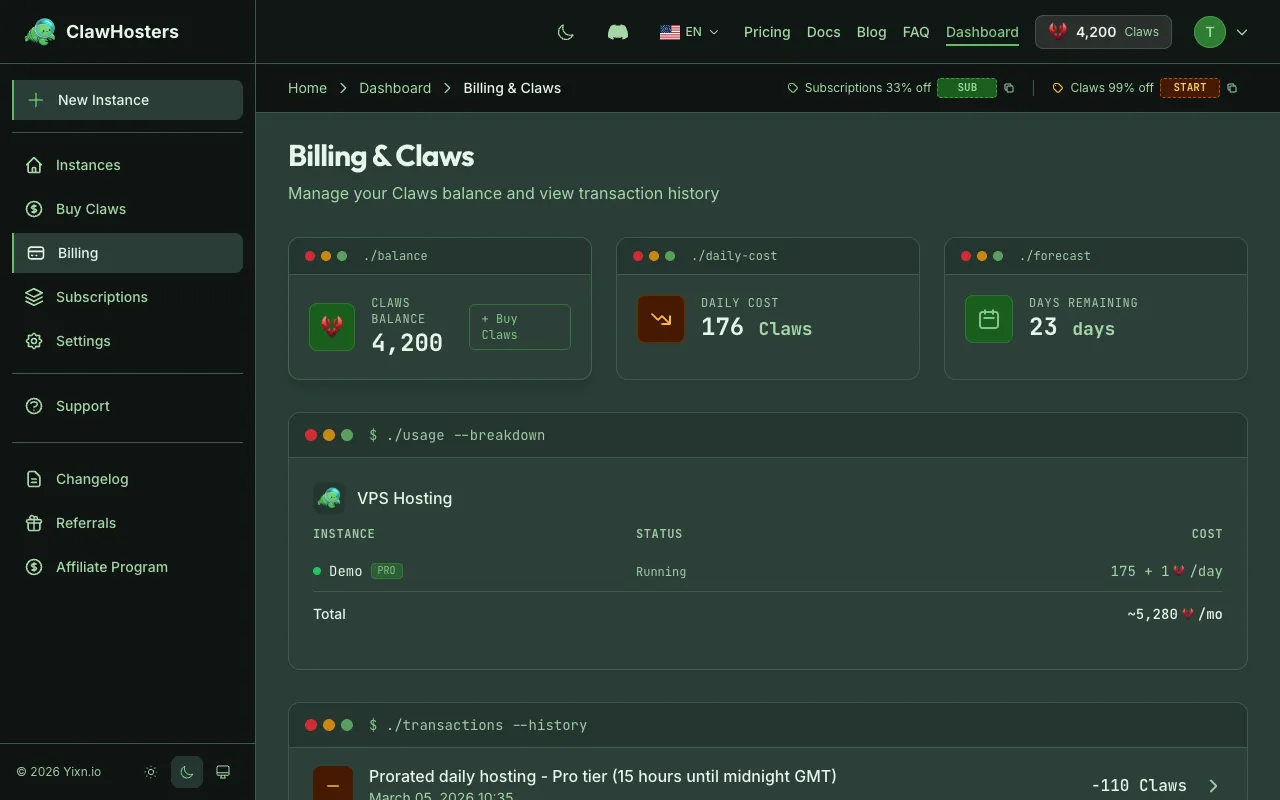
- Go to Dashboard → Billing → Invoices
- Browse the paginated list of invoices
- Click the eye icon to view details, or the download icon to get the PDF
Each invoice is also available as a downloadable PDF.
Invoice Numbering
Invoices follow the format INV-YYYY-NNNN, where YYYY is the year and NNNN is a sequential number.
Examples:
- INV-2026-0001: First invoice of 2026
- INV-2026-0002: Second invoice of 2026
Numbers increment sequentially and are unique across all customers.
Invoice Types
ClawHosters generates two types of invoices:
Claws Purchase Invoice
When you buy a Claws pack through the dashboard, an invoice is generated automatically after payment completes. This invoice contains a single line item showing the Claws pack you purchased and the EUR amount charged.
Example line item:
| Description | Amount |
|---|---|
| Claws Pack - 650 Claws | €9.99 |
Weekly Summary Invoice
If you use daily billing, ClawHosters generates a weekly summary invoice that combines all daily charges for that period. Each running instance appears as its own line item, showing the tier, number of days, and date range.
Example line items:
| Description | Amount |
|---|---|
| VPS Hosting - my-instance (Pro, 7 days, 03.02 - 10.02.2026) | €45.50 |
| VPS Hosting - test-bot (Budget, 5 days, 05.02 - 10.02.2026) | €16.07 |
| Total | €61.57 |
If an instance has active add-on subscriptions (like a managed LLM add-on), those costs are included in the instance's line item.
What Your Invoice Contains
Each invoice PDF includes:
- Invoice number and date: Unique identifier and when it was issued
- Seller information: ClawHosters business details and tax number
- Buyer information: Your email address and company name (if provided in your account settings)
- Performance period: The date range covered (for weekly summaries)
- Line items: Itemized list of charges with descriptions and amounts in EUR
- Total: Net amount, VAT, and total amount
Tax and VAT
ClawHosters operates under the German Kleinunternehmerregelung (small business exemption under § 19 UStG). This means:
- No VAT is charged on any invoice
- The VAT line on your invoice shows €0.00
- If you need invoices with VAT for your own tax purposes, this is not currently available
All amounts are shown in EUR.
Payment Methods
Invoices are generated after payment, not before. The payment methods available are:
| Method | Invoice Type |
|---|---|
| Stripe (credit card) | Claws purchase invoice |
| Coinbase (cryptocurrency) | Claws purchase invoice |
| Daily billing (Claws deduction) | Weekly summary invoice |
For Stripe payments, your Stripe payment intent ID is recorded on the transaction for reference.
Viewing Invoice Details
From the invoice list, click on any invoice to see:
- Full line item breakdown
- Payment status (paid or issued)
- Download button for the PDF
Invoice Status
| Status | Meaning |
|---|---|
| Paid | Payment has been received and recorded |
| Issued | Invoice has been created (for manual invoices or pending payments) |
Most invoices you see will be in Paid status, since Claws purchase invoices are generated after successful payment.
Monthly Subscription Billing
Monthly subscription instances are billed directly through Stripe. Stripe handles the recurring payment and sends its own payment receipts.
ClawHosters does not generate separate invoices for monthly subscription charges. To access your Stripe payment history, use the billing portal link on the instance dashboard.
Downloading Invoices
To download an invoice as a PDF:
- Go to Dashboard → Billing → Invoices
- Find the invoice in the list
- Click the download icon
- The PDF downloads to your device
The PDF filename matches the invoice number (e.g., INV-2026-0001.pdf).
Related Documentation
- Billing Overview. How billing, Claws, and payments work
- Adding Funds. How to buy Claws packs
- Claws Explained. What Claws are and how they work
- Payment Methods. Accepted payment methods and security
- Troubleshooting Common Issues. Solutions for billing discrepancies
Related Documentation
Billing Overview
How Billing Works ClawHosters offers two billing modes: monthly subscriptions and daily Claws bi...
Understanding Claws (Credits)
What Are Claws? Claws are optional. Most users run monthly subscriptions and never need Claws. Yo...
Adding Funds (Top-up)
When You Need to Add Funds This page is for daily billing users. If you use a monthly subscriptio...
