
Loading...
> docs/cancellation-refunds
Cancellation and Refunds
5 min read
Billing
Last updated March 05, 2026
Cancelling a Monthly Subscription
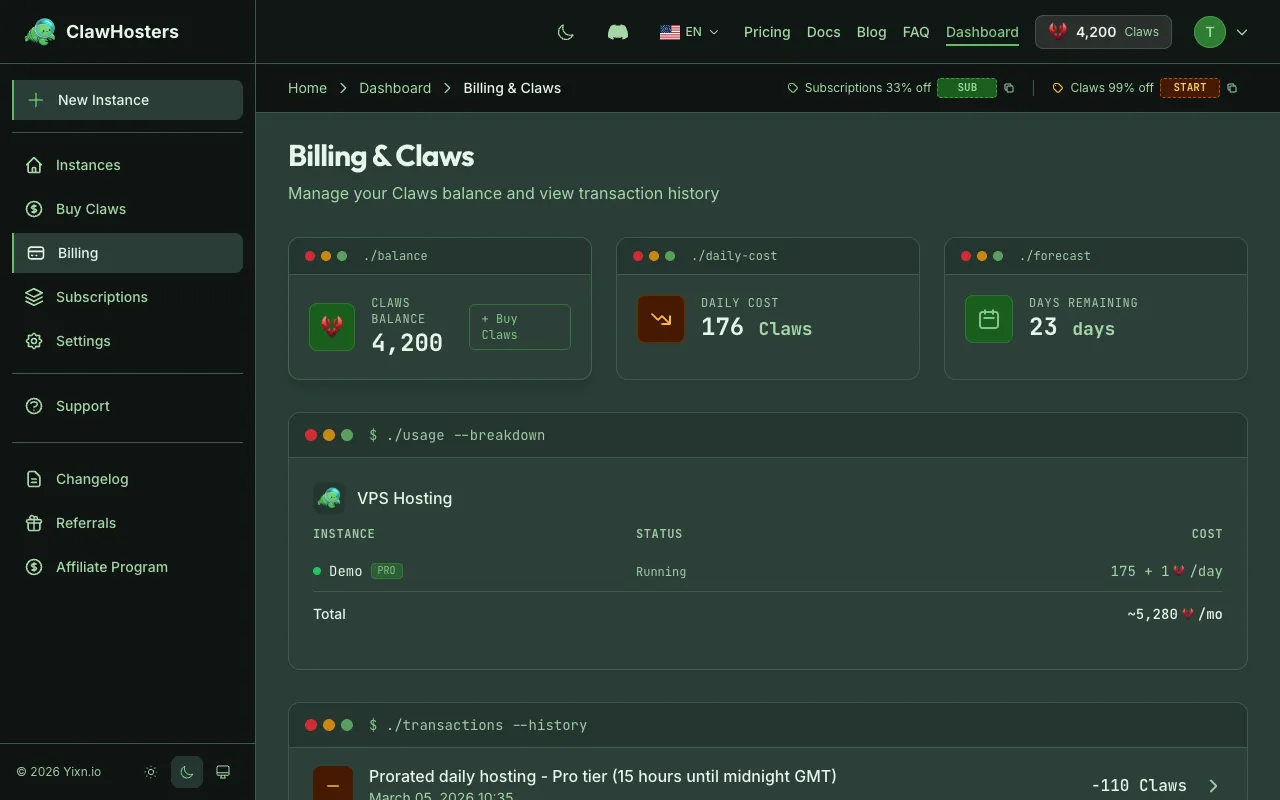
Monthly subscriptions are managed through the Stripe Customer Portal.
- Go to your ClawHosters dashboard
- Navigate to Billing > Subscription
- Click Manage Subscription to open the Stripe Customer Portal
- Select Cancel subscription
What happens after cancellation:
- Your instance continues running until the end of the current billing period
- No further charges are made after the period ends
- Once the period expires, the instance is paused automatically
- You will receive a confirmation email with the effective cancellation date
Cancellation takes effect at the end of the paid period, not immediately. If you change your mind, you can reactivate the subscription before the period ends through the same Stripe portal.
Stopping Daily Billing
Daily-billed instances deduct Claws from your balance every day. There's no separate cancellation process. You control billing by managing your Claws balance.
To stop daily charges:
- Let your balance run out. The instance is paused automatically when your balance reaches zero. No data is lost during the pause.
- Delete the instance. Go to the instance dashboard and delete it. This stops all billing immediately and permanently removes the instance.
You don't need to take any action to "cancel" daily billing. If you stop adding Claws, the system handles it automatically.
Auto-Pause (Daily Billing)
When your Claws balance drops to zero, your instance is paused automatically:
- Before pause: You receive email warnings when your balance is running low (at 3 days, 2 days, and 1 day before your balance would reach zero)
- At zero balance: The instance is paused. A snapshot of your data is created, and the VPS is shut down. Daily charges stop.
- After pause: You have a 3-day grace period to add funds and resume
To resume a paused instance, top up your Claws balance and click Resume on the instance dashboard.
Grace Period
After an instance is paused due to insufficient balance, you have 3 days to add funds and resume it.
| Day | What Happens |
|---|---|
| Day 0 | Instance paused, snapshot created |
| Day 1 | Reminder email (2 days remaining) |
| Day 2 | Reminder email (1 day remaining) |
| Day 3+ | Instance permanently deleted |
After the grace period, the snapshot is deleted from Hetzner Cloud and the instance is permanently removed. This cannot be undone. All data, configuration, and chat history stored on the instance are lost.
Monthly Subscription Payment Failure
If a monthly subscription payment fails (for example, an expired card), the following happens:
- Immediately: Your instance is paused and a snapshot is created
- Over the next days: You receive daily email reminders to update your payment method
- If payment is recovered: The instance is automatically resumed from the snapshot
- If payment is not recovered: After approximately 3 weeks, Stripe cancels the subscription and the instance is permanently deleted
To fix a failed payment, go to the Stripe Customer Portal via Billing > Subscription > Manage Subscription and update your payment method.
Deleting an Instance
You can permanently delete an instance at any time (with some restrictions for monthly-billed instances).
Daily-billed instances: Can be deleted anytime from the instance dashboard.
Monthly-billed instances: Can only be deleted after the subscription is cancelled or inactive. You must cancel the subscription first, then delete the instance after the billing period ends.
To delete an instance:
- Go to the instance dashboard
- Click Delete Instance
- Type the instance name to confirm
- Click Confirm Deletion
Deletion is permanent. The VPS is destroyed on Hetzner Cloud, and all data is removed. This cannot be reversed.
Refund Policy
Claws Purchases
Claws purchases are not refundable as cash. When purchasing Claws, you waive the 14-day withdrawal right (Widerrufsrecht) as required by EU law for digital services that are delivered immediately.
Setup Fee Refund
If a daily-billed instance fails to deploy (the instance never reaches "running" status), the setup fee is automatically refunded as Claws credits to your account.
| Tier | Setup Fee | Refund |
|---|---|---|
| Budget | 150 Claws | 150 Claws credited back |
| Balanced | 300 Claws | 300 Claws credited back |
| Pro | 450 Claws | 450 Claws credited back |
This only applies to deployment failures. If the instance was running at any point, the setup fee is not refundable.
Monthly Subscription
Monthly subscription payments are not refunded for partial periods. If you cancel mid-month, the instance continues running until the end of the paid period. No prorated refund is issued.
Erroneous Charges
If you believe a charge was made in error, contact support with the transaction details. Each case is reviewed individually.
Withdrawal Right (Widerrufsrecht)
Under EU consumer protection law, you have a 14-day right of withdrawal for digital purchases. However, because ClawHosters services (Claws and subscriptions) are digital services that begin immediately upon purchase, you must explicitly waive this right before completing a purchase.
This waiver is presented as a checkbox during the Stripe checkout process. Without accepting the waiver, the transaction cannot proceed.
Related Docs
- Billing Overview. Monthly vs daily billing comparison
- Payment Methods. Accepted payment options and security
- Adding Funds (Top-up). How to buy Claws
- Understanding Your Invoice. Invoice formats and download instructions
Related Documentation
Billing Overview
How Billing Works ClawHosters offers two billing modes: monthly subscriptions and daily Claws bi...
Deleting an Instance
Overview Deleting an instance permanently removes the server and all data. The Hetzner VPS is de...
Adding Funds (Top-up)
When You Need to Add Funds This page is for daily billing users. If you use a monthly subscriptio...
