
Loading...
> docs/openclaw-json
OpenClaw Configuration Reference
5 min read
Configuration
Last updated March 05, 2026
What openclaw.json Does
The openclaw.json file is the main configuration file for your OpenClaw instance. It controls how the gateway authenticates users, which LLM provider to use, and which messenger channels are active.
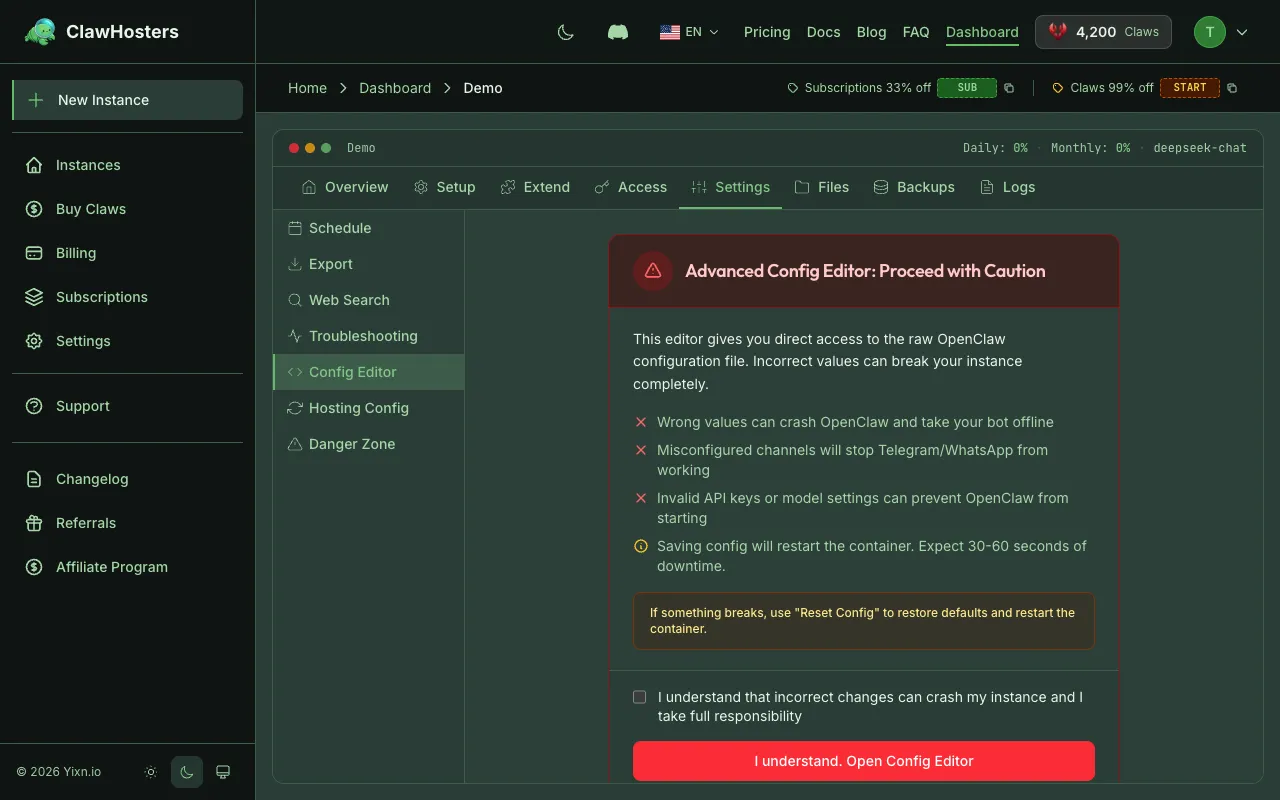
ClawHosters generates this file automatically based on your dashboard settings. When you change your LLM provider, add a Telegram bot, or update any other setting, ClawHosters regenerates the config and deploys it to your instance.
You do not need to edit this file manually unless you SSH into your instance for advanced configuration.
File Location
On your instance, the config file is stored at:
text
/root/.openclaw/openclaw.json
This is a bind-mount from /opt/openclaw/dotopenclaw/openclaw.json on the host system. Changes to either path affect the same file.
Config Structure
The file is a JSON object with up to five top-level sections. Not all sections are present on every instance. Sections are included only when relevant.
json
{
  "gateway": { ... },
  "commands": { ... },
  "models": { ... },
  "agents": { ... },
  "channels": { ... }
}
Note: API keys are NOT stored in openclaw.json. They are passed as Docker environment variables via the
.envfile. See Environment Variables for details.
gateway (Always Present)
Controls how the OpenClaw gateway runs and authenticates requests.
json
{
  "gateway": {
    "mode": "local",
    "auth": {
      "mode": "token",
      "token": "sha256-hashed-token"
    },
    "controlUi": {
      "allowInsecureAuth": true
    }
  }
}
| Field | Type | Description |
|---|---|---|
mode |
string | Always "local" for ClawHosters instances |
auth.mode |
string | Authentication method, always "token" |
auth.token |
string | SHA256-hashed gateway token for web UI access |
controlUi.allowInsecureAuth |
boolean | Allows token-based auth without device pairing |
The gateway section is always generated, even on instances without any LLM or messenger configured.
commands (Conditional)
Enables built-in commands for the OpenClaw instance. Currently supports the restart command.
json
{
  "commands": {
    "restart": true
  }
}
| Field | Type | Description |
|---|---|---|
restart |
boolean | Enables the /restart command to restart the gateway process |
agents (Conditional)
Specifies the default LLM model for the instance. Only present when an LLM is configured.
json
{
  "agents": {
    "defaults": {
      "model": {
        "primary": "anthropic/claude-3-haiku"
      }
    }
  }
}
| Field | Type | Description |
|---|---|---|
agents.defaults.model.primary |
string | The default model in provider/model format |
All models use the provider/model-name format:
| Provider | Example |
|---|---|
| Anthropic | anthropic/claude-3-haiku |
| OpenAI | openai/gpt-4o |
| OpenRouter | openrouter/anthropic/claude-3-opus |
google/gemini-pro |
|
| DeepSeek | deepseek/deepseek-chat |
| Mistral | mistral/mistral-large-latest |
| Groq | groq/llama-3.1-70b-versatile |
channels (Conditional)
Configures messenger integrations. Each channel is only included if it has been set up in your dashboard.
Telegram
json
{
  "channels": {
    "telegram": {
      "enabled": true,
      "botToken": "123456789:ABCdefGHIjklMNOpqrsTUVwxyz",
      "dmPolicy": "owner_only",
      "allowFrom": ["*"]
    }
  }
}
| Field | Type | Description |
|---|---|---|
enabled |
boolean | Whether Telegram is active |
botToken |
string | Your Telegram bot token from BotFather |
dmPolicy |
string | "owner_only" or "open", controls who can message the bot |
allowFrom |
array | User IDs allowed when dmPolicy is "open" |
Discord
json
{
  "channels": {
    "discord": {
      "enabled": true,
      "token": "bot-token-here",
      "dm": {
        "enabled": true,
        "policy": "pairing",
        "allowFrom": ["*"]
      }
    }
  }
}
| Field | Type | Description |
|---|---|---|
enabled |
boolean | Whether Discord is active |
token |
string | Discord bot token |
dm.enabled |
boolean | Whether direct messages are allowed |
dm.policy |
string | "pairing" requires device pairing first |
dm.allowFrom |
array | User IDs allowed for DMs |
Slack
json
{
  "channels": {
    "slack": {
      "enabled": true,
      "botToken": "xoxb-...",
      "appToken": "xapp-..."
    }
  }
}
| Field | Type | Description |
|---|---|---|
enabled |
boolean | Whether Slack is active |
botToken |
string | Slack bot token (starts with xoxb-) |
appToken |
string | Slack app-level token (starts with xapp-) |
json
{
  "channels": {
    "whatsapp": {
      "enabled": true,
      "dmPolicy": "owner_only"
    }
  }
}
| Field | Type | Description |
|---|---|---|
enabled |
boolean | Whether WhatsApp is active |
dmPolicy |
string | "owner_only" or "open" |
allowFrom |
array | User IDs allowed when policy is "open" |
Minimal vs Full Example
A freshly created instance with no LLM or messengers configured has only the gateway section:
json
{
  "gateway": {
    "mode": "local",
    "auth": {
      "mode": "token",
      "token": "a1b2c3d4..."
    },
    "controlUi": {
      "allowInsecureAuth": true
    }
  }
}
A fully configured instance with Anthropic LLM and Telegram:
json
{
  "gateway": {
    "mode": "local",
    "auth": {
      "mode": "token",
      "token": "a1b2c3d4..."
    },
    "controlUi": {
      "allowInsecureAuth": true
    }
  },
  "commands": {
    "restart": true
  },
  "agents": {
    "defaults": {
      "model": {
        "primary": "anthropic/claude-3-haiku"
      }
    }
  },
  "channels": {
    "telegram": {
      "enabled": true,
      "botToken": "123456789:ABCdef...",
      "dmPolicy": "owner_only",
      "allowFrom": ["*"]
    }
  }
}
Note: The Anthropic API key is passed as the
ANTHROPIC_API_KEYDocker environment variable, not in this file.
How Config Changes Are Applied
When you update settings in your dashboard:
- ClawHosters regenerates
openclaw.jsonwith your new settings - The file is uploaded to your instance via SCP
- The
doctor --fixcommand runs to apply plugin changes - Your instance picks up the new configuration
This process takes a few seconds. During the update, your instance stays running. There is no downtime for config changes.
Manual Editing via SSH
If you SSH into your instance, you can view the config at /root/.openclaw/openclaw.json. You can edit it manually, but be aware:
- Dashboard setting changes will overwrite your manual edits
- Invalid JSON will prevent the gateway from starting
- Missing the
gatewaysection will break authentication
If you break the config, use the "Redeploy" button in your dashboard to regenerate it from your saved settings.
Related Documentation
- SSH Access: How to connect to your instance
- Connecting Telegram: Setting up Telegram
- LLM Add-on: Configuring LLM providers
- Rebuilding an Instance: Factory reset if config is broken
Related Documentation
What is OpenClaw?
An Open-Source AI Assistant You Can Self-Host OpenClaw is an open-source framework for running y...
Authentication and Access Control
How Authentication Works in ClawHosters ClawHosters uses different authentication methods depend...
Environment Variables Reference
Overview Environment variables control how your OpenClaw instance connects to services and confi...
