

ClawHosters
by Daniel Samer
13 min read
Loading...
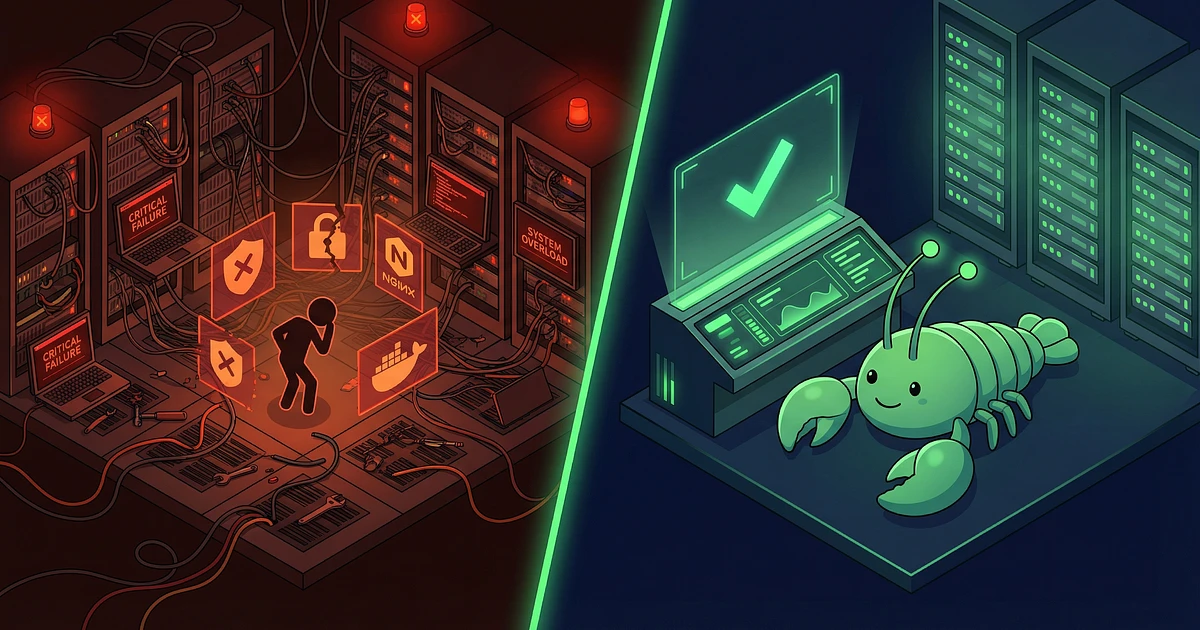
Five euros a month for a Hetzner VPS. Install Docker, pull the OpenClaw image, done. Sounds like a no-brainer.
Three weeks later I was at my terminal at 11:30 PM because a kernel update broke Docker and my OpenClaw agent was offline. The 5 euros for the server? That was the smallest problem. The real cost: The 12 hours of my life I'd sunk into maintenance.
This OpenClaw hosting comparison will show you what self-hosting actually costs. Not just the server. Also the 8 to 12 hours per month you'll spend on maintenance, updates, and troubleshooting. Then we'll see if managed hosting at ClawHosters for 19 euros per month might be the better deal.
Spoiler: For roughly 80% of readers, it is. But not for everyone. And that's what makes this comparison honest.
OpenClaw is an open-source AI agent framework. Think of it as a personal assistant that can work in the browser, manage files, execute code, and talk to you through Telegram, WhatsApp, Discord, or Slack. You bring your own LLM API key (Anthropic, OpenAI, whatever you prefer), and OpenClaw becomes the interface.
Since it's open source, you can self-host it on any VPS. Docker image, config file, go. In theory.
In practice, there's a gap between "docker compose up" and "production-ready AI agent." And that gap is where the real costs hide when you decide to self-host OpenClaw.
If you want to set up LLM-based workflows, OpenClaw is a strong option. It connects your API key to messaging platforms and browser automation. But the question remains: How do you actually host this thing?
I built the entire ClawHosters infrastructure myself. Docker, Nginx reverse proxy, SSL certificates, firewall rules, fail2ban, health checks, automated monitoring. I know every piece of this stack because I wrote the provisioning code.
Here's what you need to self-host OpenClaw properly:
Linux administration: SSH keys, user permissions, systemd services. Sounds dry? It is. But when your Docker container won't start after a reboot because your systemd unit is misconfigured, you're stuck without these basics.
Docker and Docker Compose: Not "I did a tutorial once." More like "I understand volumes, networks, container isolation, and can debug a Dockerfile."
Nginx as reverse proxy: Because OpenClaw runs internally on port 18789 and you need SSL termination. And no, Apache isn't a good alternative here.
SSL certificate management: Let's Encrypt with Certbot or Cloudflare Origin Certs. And you need to know what to do when auto-renewal fails.
Firewall configuration: iptables or ufw. I secured the ClawHosters VPS with iptables. 37 rules that precisely define what's allowed in and out. You don't do that casually.
DNS management: A records, CNAME, TTL times. Sounds trivial until you're waiting 45 minutes because you forgot your DNS entry has a 3600 TTL.
Backup strategies: Not "I make a backup sometimes." Automated, tested backups with a recovery plan.
Security hardening: fail2ban against brute force, kernel updates without downtime, container security (no root in production, read-only filesystems where possible).
Eight different disciplines. If you're comfortable with all of them: respect. If half that list makes you nervous, keep reading.
I've documented the full process. From a fresh Hetzner VPS to a running OpenClaw instance with SSL and proper security takes roughly 27 steps. Order server, configure OS, install Docker, pull image, write compose file, set up Nginx, configure SSL, set up firewall, install fail2ban, configure OpenClaw, activate plugins, set up health checks.
First-time OpenClaw installation? Between 4 and 12 hours depending on experience. If you've never secured a Linux server before, budget the full 12. If you do this regularly, maybe 4. If you want to set up OpenClaw without DevOps knowledge, expect 12+ hours.
That's just the setup. Ongoing maintenance comes after that.
With managed hosting like ClawHosters, the process looks like this:
Time: 47 seconds if you hurry. No terminal, no SSH, no "why isn't Nginx working anymore". The server runs on Hetzner infrastructure in Germany, GDPR compliant, with automatic updates and security patching.
I know this reads like an ad. But honestly: That's the difference between managed and self-hosted. One version costs you a minute. The other costs you an evening.
Most comparisons stop at the server price. That's like comparing car insurance quotes while ignoring the price of the car.
According to WP Engine's analysis, hidden costs typically represent 60 to 70% of total ownership for self-hosted infrastructure. The server itself is the smallest line item.
If you're going to self-host OpenClaw, you need to know the hidden costs. Most comparisons only show the VPS price – but that's just a fraction of the real hosting costs with self-hosting.
| Item | Monthly Cost |
|---|---|
| Hetzner CX22 VPS | 5.39 EUR |
| Domain and DNS | ~1 EUR (prorated) |
| Your time: 8 hours maintenance | 0 EUR on paper |
| Total on paper | ~6.40 EUR |
Looks cheap. But what happens when we account for your time?
DevOps engineers average $60 to $69 per hour according to Glassdoor. Even if you value your time at a modest 25 EUR per hour, the picture changes:
| Item | Monthly Cost |
|---|---|
| VPS + DNS | 6.40 EUR |
| 8 hours maintenance x 25 EUR | 200 EUR |
| Real total cost | 206.40 EUR |
"But my time is free. I do this in my spare time."
Is it though? Every hour you spend troubleshooting Docker networking is an hour you're not building features, talking to customers, or just relaxing. GCore calculated that self-managed infrastructure costs about 3 times more than managed alternatives when all costs are included.
The maintenance burden when you self-host OpenClaw is real. Updates, security patches, Docker issues, Nginx configuration that suddenly stops working. It adds up.
Compared to self-hosted OpenClaw, it's clear: managed hosting pays for itself on day one.
| Tier | Monthly Cost | What You Get |
|---|---|---|
| Budget | 19 EUR | 2 vCPU, 4 GB RAM, automatic updates |
| Balanced | 35 EUR | 4 vCPU, 8 GB RAM, best value |
| Pro | 59 EUR | 8 vCPU, 16 GB RAM, for power users |
Hours spent on maintenance: Zero.
I don't want to pretend the choice is always obvious. If you're a developer who manages servers as part of your daily work anyway, those 8 hours per month might already be baked into your routine. The comparison looks different in that case.
But for most people who just want a working AI assistant? Managed hosting pays for itself on day one.
Many believe that self-hosting OpenClaw automatically makes it more secure than managed hosting. That's a myth. And a dangerous one.
McKinsey's risk team warns that AI agents aren't like regular web applications. They have autonomous capabilities, persistent memory, and access to external systems. The security requirements are higher than what most people are used to.
AWS recommends treating AI agent infrastructure with the same rigor as customer-facing production systems. And a cybersecurity professor at Northeastern University called OpenClaw a "privacy nightmare" because of the sensitive data AI agents access.
Managed hosting providers have dedicated security teams. They patch container vulnerabilities, monitor kernel updates, and respond to new threats around the clock. If you do all of that yourself because you have the skills and discipline, self-hosting is equally secure. If not, it's significantly less secure.
On top of that, ClawHosters runs on Hetzner servers in Germany. Your data never leaves German jurisdiction. That matters because the EU AI Act becomes fully applicable in August 2026, and German hosting keeps you on the right side of compliance.
ClawHosters isn't the only managed OpenClaw hosting provider. There are three other options on the market, and I've looked at all of them:
| Provider | Price/Month | vCPU | RAM | Notes |
|---|---|---|---|---|
| ClawHosters | from 19 EUR | 2 to 8 | 4 to 16 GB | 3 tiers, German servers, under 1 min deploy |
| OpenClawd.bot | from 69 EUR | 4 to 16 | 8 to 32 GB | Enterprise focus, high specs |
| ClawdHost | 25 EUR flat | N/A | N/A | Single tier, no spec transparency |
| Clowdbot | Pay-per-use | 2 | 2 GB | Cheapest entry, weak specs |
I run ClawHosters, so I'm obviously not neutral here. But the numbers are public: we're 73% cheaper than OpenClawd.bot at entry level, we publish our specs transparently (they're Hetzner CX plans you can look up), and we offer three tiers instead of one-size-fits-all.
OpenClawd.bot is solid if you need enterprise-grade specs and have the budget. ClawdHost doesn't disclose their specs, which personally makes me uncomfortable. Clowdbot is interesting for experimentation, but 2 GB RAM is tight for anything beyond testing.
I want to be fair here. There are legitimate reasons to self-host OpenClaw:
You're a DevOps professional. You manage servers for a living. Docker is your daily tool. The 8 hours of monthly maintenance fit naturally into your workflow. Save the 19 EUR.
You want to learn. Setting up OpenClaw from scratch is an excellent learning project. Docker, Nginx, security hardening. Real skills with real value.
You have specific compliance requirements. Some industries require on-premise hosting. If that's your situation, self-hosting might be your only option.
You need full control over every parameter. Some configurations require root access. Though ClawHosters also provides SSH access to your instance.
For this audience, self-hosting OpenClaw makes absolute sense. If you have the skills and want to invest the time, self-hosting is a solid option.
You want results, not infrastructure work. A 2026 report by ThirstySprout found that 71% of tech teams choose off-the-shelf SaaS solutions because they get to results faster.
Your time is limited. If 8 hours per month on server maintenance means 8 hours less for your business, the math is straightforward.
You're not a server admin. No judgment. Most people aren't. And there's no good reason to become one just to run an AI assistant.
You want to focus on your core product. Gitpod concluded after three years of self-hosting experiments that self-managed platforms become "less effective and costly." That was a company full of engineers.
If you want to focus on your core product instead of server maintenance, automation of your infrastructure is often the better choice. Managed hosting is exactly that: automation you don't have to code yourself.
In case you're wondering whether you can switch between self-hosting OpenClaw and managed hosting: yes, anytime. If you start with self-hosting and realize the maintenance is eating your weekends, ClawHosters offers migration support. The other direction works too. OpenClaw is open source and your data belongs to you.
The decision isn't permanent. But every month spent on unnecessary maintenance is a month you don't get back.
If you decide to self-host OpenClaw, these are the most common problems:
Docker container doesn't start after reboot: Your systemd unit is misconfigured. systemctl enable docker and restart: unless-stopped in your compose file fix it.
Nginx shows 502 Bad Gateway: The OpenClaw container isn't running, or your proxy_pass configuration points to the wrong port. OpenClaw runs on port 18789 by default.
SSL certificates don't auto-renew: Certbot cronjob isn't running, or your Nginx config blocks the HTTP challenge. Check /var/log/letsencrypt/.
Firewall blocks everything: You forgot to open the ports. ufw allow 80/tcp, ufw allow 443/tcp, ufw allow 22/tcp are the minimum.
Container has no internet access: Docker network misconfigured. docker network inspect bridge shows you what's wrong.
These problems are all solvable. But they cost time. Time you could spend on your product instead of infrastructure.
For 80% of people reading this article, managed hosting is the better choice. Not because self-hosting is bad. But because your time is worth more than 19 EUR per month.
If you're a DevOps pro: do it yourself. If you want to learn: do it yourself. If you have specific compliance requirements: do it yourself.
For everyone else: save yourself the 12 hours of setup and 8 hours of monthly maintenance. Go with managed hosting. Focus on what actually matters.
Not sure which solution fits you? Contact me. I'll help you decide. Honestly, without sales pressure.
Your time? Between 8 and 12 hours a month, if nothing goes wrong. Value your time at 25 EUR per hour (modest for a developer), and you're looking at 200 to 300 EUR in hidden costs. Per month. That 5 EUR VPS suddenly becomes a 210 EUR project.
My first self-hosting attempt took closer to 15 hours in the first month. Updates that broke Docker. Nginx configurations that suddenly stopped working. SSL certificates that didn't renew.
Only if you have the expertise to properly secure a server. Container security, kernel updates, firewall management, and intrusion detection are ongoing tasks. Managed providers have dedicated teams for this.
Self-hosted OpenClaw is only more secure if you really know what you're doing. If you're wondering whether you know what you're doing, the answer is probably "no."
Yes. OpenClaw is open source, and your configuration can be migrated. ClawHosters actively supports migrations from self-hosted setups.
Migration usually takes under an hour. We pull your OpenClaw config, your LLM keys, and your messenger connections. Downtime: minimal.
Yes. Absolutely. And not "I did a tutorial once" knowledge, but solid understanding of Docker, Docker Compose, networking, and ideally container security. Without it, the experience will be frustrating.
If Docker and container security feel overwhelming, you can get Claude AI set up for your company. No server management, no Docker, no headaches.
Your data lives on Hetzner servers in Germany. You have SSH access to your instance and can export data at any time. GDPR compliant, data never leaves German jurisdiction.
And if you're wondering: No, we don't read your chats. Technically we could, but we don't. Your OpenClaw instance belongs to you. We just provide the infrastructure.
47 seconds on average. Create account, pick tier, enter LLM key, done. No Docker, no terminal, no configuration files to edit.
Compare that to self-hosting OpenClaw: 4 to 12 hours for first-time setup. That's the difference between managed and self-hosted.

Three open-source AI agent frameworks launched within two weeks of each other in early 2026. All three have the word "Claw" in the name. All three let you run your own AI assistant. And all three make completely different bets about what matters most.

Your OpenClaw agent reads, writes, searches the web, calls tools. But it can't hear you. And it can't talk back. Voice changes that, and it's not as complicated as you'd think.

Port forwarding your AI agent to the public internet is a terrible idea. OpenClaw has broad access to your system, shell, files, network, and it eagerly reaches out to external APIs. Exposing that to the open web is asking for trouble. Tailscale gives you encrypted remote access to your OpenClaw...
