

ClawHosters
by Daniel Samer
6 min read
Loading...
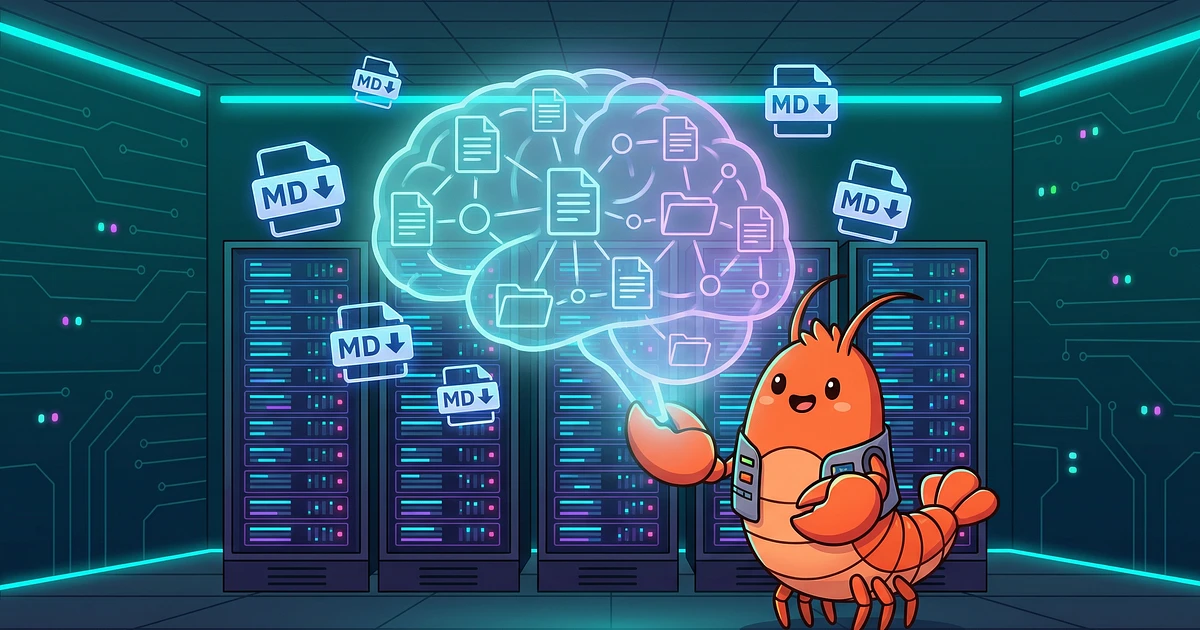
Your AI agent forgot everything you told it yesterday. Every preference, every project detail, every rule you spent an hour explaining. Gone.
That's not a bug. That's how LLMs work. As Leonie Monigatti explains, large language models are stateless by default. "Each time is essentially a fresh start. The LLM has no memory of previous inputs." OpenClaw solves this problem with a file-based memory system. But that system has sharp edges most people don't find out about until something breaks.
The design is surprisingly simple. According to OpenClaw's official documentation, "the files are the source of truth; the model only remembers what gets written to disk."
Two files carry the load:
MEMORY.md is the agent's long-term memory. Your name, your preferences, project-specific rules. This file never decays. If you want the agent to remember something permanently, it goes here.
memory/YYYY-MM-DD.md files are daily logs. Running context, session notes, things the agent picked up during a conversation. These decay over time with a 30-day half-life, which means a note from six months ago retains only about 1.6% of its original relevance score.
Underneath, OpenClaw builds a per-agent SQLite vector index. When the agent needs to recall something, it runs hybrid search: 70% vector similarity, 30% BM25 keyword matching. Two tools handle retrieval. memory_search does semantic lookup. memory_get reads a file directly.
This system works well for most use cases. One user cleared 15,000 backlogged emails because persistent memory rules survived across sessions. A developer fixed a 10-month-broken SMS chatbot by letting context accumulate over multiple sessions rather than re-explaining the codebase every time. If you want to see how setup works in practice, the ClawHosters quickstart guide walks through the full process.
But this AI agent memory system has failure modes that can waste hours of your time. Possibly days.
This is probably the most common one. You run OpenClaw in Docker without proper volume mounts. The container restarts (update, crash, host reboot). Everything in the workspace directory vanishes. MEMORY.md, daily logs, all of it. The official Docker guide recommends setting OPENCLAW_HOME_VOLUME to persist the workspace as a named volume, but if you skip that step during setup, you won't notice until it's too late.
This one is worse because you don't see it coming. A documented case on GitHub (Issue #5429) describes a user who lost approximately 45 hours of accumulated agent context. Auto-compaction triggered at 90%+ context usage, and everything that hadn't been written to disk was silently discarded. The agent had no idea what it had lost.
The fix exists. memoryFlush is a config option that prompts the agent to save important facts to MEMORY.md before compaction runs. The problem? It's off by default. And the issue was closed as NOT_PLANNED, meaning this behavior won't change.
You configure memory, talk to your agent, ask it to recall something from last week. Nothing comes back. Not an error. Just silence, or a hallucinated answer.
The cause: no working embedding provider. OpenClaw's memory_search needs an embedding model to function. If none is configured (or the API key is wrong), the tool silently fails. GitHub Issues #13027 (silent embedding failure) and #16670 (no onboarding warning) both document that the onboarding process doesn't warn you about this. You think memory works. It doesn't.
As Daily Dose of DS puts it, OpenClaw's native memory "remembers everything but understands none of it." It stores text chunks. It can't reason about relationships between facts. Tell the agent "Alice manages the auth team" on Monday, ask "who handles permissions?" on Wednesday, and it might draw a blank.
Four plugins address different gaps:
Mem0 moves memories to an external cloud store, keeping them outside the context window entirely. Good for persistence across devices and sessions.
Supermemory adds automatic recall before every AI turn and auto-capture after every exchange. The GitHub repo shows 434 stars and active development. It also handles deduplication, so your memory files don't balloon with redundant entries.
Cognee takes a different approach. The Cognee integration builds a knowledge graph, turning "Alice manages auth" into entities and relationships that can be traversed, not just matched by text similarity.
Voyage AI isn't a memory plugin per se. It's an embedding provider upgrade that improves retrieval quality for the native system.
Which one you need depends on your use case. For most single-agent setups, native memory with proper configuration is enough. For multi-project work or relationship-heavy domains, Cognee or Supermemory fills real gaps.
All of these pitfalls are infrastructure problems. Configuration choices you make once during setup and then forget about until something breaks.
If you self-host OpenClaw, those choices are on you. If you use managed hosting, workspace persistence, proper volume configuration, and embedding provider setup are handled from the start. That's not a pitch. It's just the practical difference between managing infrastructure yourself and letting someone else handle it.
Either way, check your setup. Verify memoryFlush is on. Confirm your embedding provider works. Make sure your workspace directory persists across container restarts. Those are probably the highest-impact things you can do for reliable long-term memory right now.
AI agent memory is the system that lets an AI assistant retain information across separate conversations. LLMs are stateless. Without an external memory layer, every session starts from zero. OpenClaw solves this by writing facts to Markdown files on disk that get loaded into future sessions.
No. Memory is only written when the agent explicitly performs a write operation. Conversational context that isn't saved to disk is lost when the session ends or when compaction triggers. If you want the agent to remember something, tell it to write it to MEMORY.md.
Set the `OPENCLAW_HOME_VOLUME` environment variable to persist your workspace directory as a Docker named volume. Without this, the container filesystem is ephemeral. A restart means the agent starts with no memory at all.
`memoryFlush` is a config option that tells the agent to save important facts to MEMORY.md before context compaction runs. It's off by default. You should turn it on. Without it, the agent can lose hours of accumulated context during long sessions with no warning.
Not natively. The built-in system uses vector search to find similar text, but it can't reason about how facts connect. If you need relationship-aware retrieval (like knowing that a person manages a specific team), look into the Cognee plugin, which builds a knowledge graph over your memory data.
*Last updated: February 2026*

Three open-source AI agent frameworks launched within two weeks of each other in early 2026. All three have the word "Claw" in the name. All three let you run your own AI assistant. And all three make completely different bets about what matters most.

Your OpenClaw agent reads, writes, searches the web, calls tools. But it can't hear you. And it can't talk back. Voice changes that, and it's not as complicated as you'd think.

Port forwarding your AI agent to the public internet is a terrible idea. OpenClaw has broad access to your system, shell, files, network, and it eagerly reaches out to external APIs. Exposing that to the open web is asking for trouble. Tailscale gives you encrypted remote access to your OpenClaw...
