

ClawHosters
by Daniel Samer
22 min read
Loading...
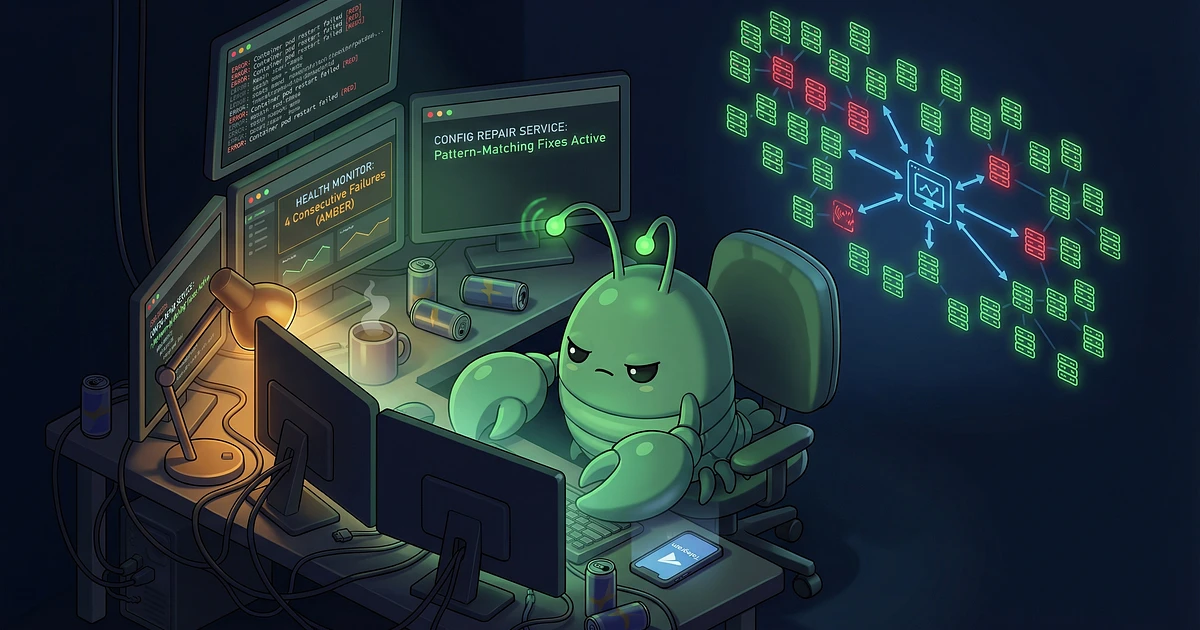
Two weeks ago, ClawHosters went live. Today the platform runs with roughly 50 paying customers and 25 more in trial. All from Reddit, no marketing budget, alongside a regular 40-hour job.
And I'll tell you right now: none of it went smoothly.
This isn't a sales pitch for my product. It's a technical post-mortem about building a managed hosting platform for AI agents. Real code, real mistakes, and real nights where the Telegram bot pings at 2 AM because a customer instance is stuck in a crash loop.
The stack: Rails 8 monolith, PostgreSQL, Sidekiq with 5 processes and 50 threads total, Clockwork for scheduling, Hetzner Cloud API for infrastructure. Each customer gets their own VPS with OpenClaw running in Docker.
Everything on one server. No Kubernetes, no ECS, no managed database. That's a decision, not a limitation.
The decision to isolate OpenClaw in Docker containers instead of running it directly on the VPS was deliberate. It was also the source of at least 70% of all technical problems. I'd still do it again.
The problem without Docker: if a customer process goes rogue (and it does, more on that soon), it can eat all memory, fill the disk, corrupt the OS. With Docker I get:
Process isolation. The OpenClaw container can't touch my host services. SSH, Docker daemon, node_exporter, all unreachable from inside the container.
Hard memory limits. 3 GB, 6 GB, or 14 GB depending on tier. OpenClaw hits these regularly.
Always repairable. Even if the container is completely borked, I can SSH to the host, inspect logs, fix configs, restart. If the customer had trashed the VPS itself, I'd be rebuilding from scratch.
Config is bind-mounted. The openclaw.json sits on the host filesystem. I can fix configs without even starting the container.
But Docker brought so many problems that I sometimes wondered if I'd made a terrible mistake.
pnpm symlinks. pnpm creates symlinks in node_modules/.pnpm/, and docker cp flat-out refuses to handle them. Updates have to stream files via tar cf - | docker cp - instead. Sounds trivial. The error messages were cryptic enough to cost me hours.
mDNS/Bonjour auto-discovery. The gateway picks up the Docker bridge IP (172.18.x.x) instead of localhost, causing cryptic "gatewayUrl override rejected" errors. Fix: an environment variable that disables the behavior. Finding that variable almost made me lose my mind.
Zombie processes. Node doesn't handle SIGCHLD properly. Without tini as PID 1, zombie processes pile up in the container. You don't notice immediately. Only when the process table fills up after a few days.
Nginx Host header validation. Nginx inside the container validates the Host header, so direct IP access returns 403. Good for security, but it makes debugging harder because health checks need to send the correct Host header.
Container recreation destroys runtime state. This was the biggest one. Every update, every SSH enable, every config change that would normally require recreating the container means losing everything: customer-installed packages, runtime data, conversation history. You can't just docker-compose down && docker-compose up. I have to docker commit first to preserve the writable layer, then apply changes. For config changes, I built a hot-reload system that sends SIGUSR1 to the process instead of touching the container at all.
Customers can install packages inside their container. apt-get, pip, npm, whatever they need. Those changes live in Docker's writable layer (OverlayFS). The entire update and maintenance system is designed to preserve this layer.
I use docker restart, never docker-compose down/up. Before any operation that might recreate the container, I run docker commit to bake the writable layer into the base image. Backup images get cleaned up after successful updates to reclaim disk. They're 15 to 25 GB each.
Why not volumes? Because the customer potentially modifies files everywhere in the filesystem. A volume for /usr/local/lib and one for /home/user/.npm and one for... no. The writable layer captures everything regardless of where.
Every customer instance gets a subdomain like my-assistant-x7k2.clawhosters.com. Getting traffic from the browser to the right VPS takes five layers. Yes, five.
One *.clawhosters.com record points everything to my server. No per-instance DNS records. Cloudflare terminates SSL publicly, then connects to the server via a 15-year origin certificate.
Nginx captures the subdomain with a regex server_name, blocks reserved words (www, api, mail, admin), and forwards to Traefik on port 8090. Critical here: proxy_buffering off and proxy_request_buffering off. Why that matters comes in the SSE section.
This is where it gets interesting. Traefik reads its routing table from Redis. When Rails provisions an instance, it writes the routing rules atomically in a Redis MULTI block:
traefik/http/routers/<subdomain>/rule = "Host(`<subdomain>.clawhosters.com`)"
traefik/http/services/<subdomain>/loadbalancer/servers/0/url = "http://<vps-ip>:8080"
It also registers per-instance bcrypt-hashed basic auth middleware. Traefik picks up changes instantly via keyspace notifications. No restart needed.
On the customer's VPS, nginx runs as a sidecar container on port 8080. It only accepts the correct Host header and proxies to OpenClaw on internal port 18789. Everything else gets a 403 with "Access denied. Use your subdomain." Last line of defense against direct IP access.
Production instances get a Hetzner Cloud Firewall at creation time. It blocks everything except 8080, 9100, 22, and 9993/udp for ZeroTier. The firewall rules only allow incoming connections from my production server's IP, so customer VPS instances aren't directly reachable from the public internet. fail2ban is pre-configured in the snapshot for SSH brute force protection.
A sync service runs every 10 minutes, adding missing routes and removing orphaned ones. A health service runs every 5 minutes, making actual HTTP requests through Traefik with the correct Host header to verify end-to-end routing. If Traefik's Redis subscription breaks after a Redis restart (it happens), it auto-restarts the Traefik service.
Customers can use our managed LLM instead of bringing their own API key. Their OpenClaw points at api.clawhosters.com/v1, which exposes an OpenAI-compatible completions API. It's the same principle I use for individual LLM workflow projects.
No token management, no API keys to rotate. Each VPS has a unique Hetzner IPv4 (unique index in the DB). When a request comes in, we look up which instance owns that IP. IPv6 uses PostgreSQL's CIDR containment operator because Hetzner assigns /64 blocks. The OpenClaw config has a dummy apiKey field only because the client refuses to send requests without one.
1. TCP chunk fragmentation. SSE events are delimited by \n\n. But HTTP chunks from upstream providers are raw TCP segments. A single chunk can contain half an SSE event, or three events glued together. I had to build a re-framing buffer that accumulates chunks, splits on \n\n boundaries, and only forwards complete events to the client. Sounds simple. Took way too long to get all the edge cases right.
2. Nginx buffering kills SSE. This is a well-documented problem that hits dozens of projects. But in a multi-layer stack it gets really ugly. Two nginx layers (main server + Traefik's upstream path) means two places where buffering can silently accumulate the entire response before forwarding. Without the fix, the client just hangs for 30 seconds and then gets everything at once. "Streaming" in name only.
As this nginx SSE guide explains, you need proxy_buffering off, proxy_cache off, proxy_http_version 1.1, chunked_transfer_encoding off, AND X-Accel-Buffering: no as a response header from Rails. All of them. Not just one.
I missed the response header and spent hours debugging why streaming worked locally but not in production.
# nginx config for SSE streaming
location /v1/ {
    proxy_pass http://upstream;
    proxy_buffering off;
    proxy_cache off;
    proxy_http_version 1.1;
    chunked_transfer_encoding off;
    proxy_set_header Connection '';
    proxy_set_header X-Accel-Buffering no;
}
# Rails Controller - Response Headers for SSE
response.headers['Content-Type'] = 'text/event-stream'
response.headers['Cache-Control'] = 'no-cache'
response.headers['X-Accel-Buffering'] = 'no'
response.headers['Transfer-Encoding'] = 'chunked'
3. Usage billing with streaming. Providers only send token counts in the very last SSE chunk. But Rails is mid-stream, and you can't hold the entire response in memory (that defeats the purpose of streaming). Solution: a ring buffer of only the last 4 KB of SSE data. After the stream ends, I scan the buffer for the usage JSON. The ensure block also closes the upstream HTTP connection. Leaked connections pile up fast. Learned that one the hard way.
Bonus problem: Some providers don't actually support streaming for certain models. When a client sends stream: true but the upstream returns a normal JSON response, the controller wraps it into a fake SSE sequence so the client always gets consistent SSE regardless.
Routes through Anthropic, OpenAI, DeepSeek, Google, OpenRouter, or Nvidia depending on the model. On 5xx from the primary, auto-falls back to OpenRouter with a tier-appropriate model. 4xx errors pass through (that's the caller's problem). Rate limited at 60 req/min general, 10 req/min for reasoning models. Redis down? Fail open.
The streaming proxy was running. Token data was flowing through. I had no idea what to put on a customer's invoice.
How do you bill for token usage when every provider counts tokens differently, names them differently, and sometimes doesn't report them at all?
As Portkey's token tracking guide documents: "Different model providers count, tokenize, and bill tokens differently." Two identical prompts produce different token counts on GPT-4 vs Claude vs DeepSeek.
Every provider reports token usage differently.
Anthropic sends usage in the last SSE event with input_tokens and output_tokens. Relatively reliable. OpenAI sends it in the last chunk too, but the format differs slightly. DeepSeek? Sometimes the usage is just missing for certain models. Google Gemini calculates in "characters" instead of "tokens" in some API versions.
The ring buffer approach from the streaming section is the first layer. If the tail end of the SSE data contains the usage object, we parse it. If not, we fall back to an estimate based on chunk byte size times a provider-specific factor.
There's a difference between "I roughly know how many tokens that was" and "I can put this on a customer's invoice." For observability, a rough counter is fine. For invoicing, you need:
Every LLM request gets stored with instance ID, provider, model, input tokens, output tokens, and exact cost in the database. Each tier includes a token allowance. The included tokens get consumed first. Once they're used up, additional usage gets billed per claw instantly. No waiting until month end, no manual reconciliation. Provider-specific price differences (Claude vs GPT-4 vs DeepSeek) are normalized through a pricing table that gets updated when providers change rates.
Everything is pre-baked into a Hetzner snapshot. Docker, the OpenClaw image (pre-pulled), Playwright/Chromium browsers, fail2ban, SSH hardening. When a VPS boots from the snapshot, cloud-init only regenerates SSH host keys and machine-id, then restarts Docker. About 3 minutes to ready.
Fly.io described the same problem as "latency whack-a-mole": "every time you solve one bottleneck, the next one becomes visible." They solved it with Firecracker microVMs and separate create/start operations. I use a pre-warmed pool.
Servers get created from the snapshot in advance, with a placeholder container already running. Customer orders, the code atomically claims a pre-warmed VPS, renames it via the Hetzner API, and deploys the real config. Near-instant.
A pool manager job (runs every 10 minutes) checks how many free pre-warmed VPS instances are available. When the count drops below a configurable minimum, it automatically orders more. The target pool size is also seasonally adjusted: weekday nights get a higher buffer because that's when signups tend to spike.
The deployment itself is just SCP config files + docker-compose up -d + health check polling + doctor --fix + SIGUSR1 for hot reload. No packages installed, no images pulled. That's the whole point: everything slow happens at snapshot build time. By deploy time, there's nothing left to install.
Hetzner recycles IPs from deleted servers. This caused two bugs.
First: stale SSH known_hosts entries broke connections even with StrictHostKeyChecking=no. The fix was UserKnownHostsFile=/dev/null. Second: stale IPs in our database could point to wrong servers. Fix: query the Hetzner metadata service from inside the VPS before trusting SSH.
The second bug is actually the scarier one. "Stale IP points to wrong server" means in the worst case: we deploy a customer's config onto someone else's VPS. That would have been a significant security problem. It never happened because we caught it first. But it was close.
This topic deserves its own section because it's been the biggest operational pain point. And it still is.
OpenClaw's config (openclaw.json) is a single JSON file with nested keys for LLM providers, messenger tokens, gateway settings, agent behavior, tool permissions. Customers can edit it through OpenClaw's CLI. They make typos, delete required keys, set invalid values, and then their OpenClaw crashes in a loop and they open a support ticket.
OpenClaw v2026.2.23 changed the gateway to --bind lan, which requires a specific controlUi flag set to true. Flag missing? Instant crash loop. And OpenClaw's own doctor --fix command sometimes removes flags that we need. Fixing one thing breaks another.
Layer 1: controlUi flag protection. After every config change (even unrelated ones), the system re-downloads the config and verifies that three critical gateway flags are present and true. If doctor --fix or the customer stripped them, they get restored before the reload happens.
Layer 2: Automatic health monitoring + repair. Every running instance gets polled. After 4 consecutive health check failures, a config repair service kicks in automatically. It SSHes to the instance, reads the last 100 lines of container logs, and pattern-matches fixes:
Invalid gateway.bind value: deletes the bind key
"Cannot parse configuration": regenerates the entire gateway section from a template
"Unknown configuration key": runs doctor --fix with the new version's code
"Permission denied": chmod fix
After applying fixes it also validates that critical fields aren't empty and restores trustedProxies to the canonical list.
Layer 3: Dashboard transparency. Config state, health status, container logs, VPS metrics (CPU/RAM/disk/network via node_exporter) are all surfaced in the customer dashboard. If their OpenClaw is crash-looping, they can see the error, see which config key is wrong, and at least try fixing it themselves before opening a ticket.
OpenClaw releases new versions frequently, and they like changing config defaults in breaking ways. A key that was optional becomes mandatory. A default changes from permissive to restrictive. If you just update the binary without migrating the config, the gateway doesn't boot.
Turso's approach for schema migrations across millions of databases uses a pull-based registry: each client periodically queries "I'm on version X, what did I miss?" That's exactly the pattern I adapted for config versioning.
REGISTRY = [
  { version: "2026.2.22", key: "tools.exec.host", default: "node" },
  { version: "2026.2.23", key: "gateway.controlUi.dangerouslyAllowHostHeaderOriginFallback",
    default: true },
  { version: "2026.2.23", key: "browser.ssrfPolicy.dangerouslyAllowPrivateNetwork",
    default: true },
  { version: "2026.2.24", key: "agents.defaults.sandbox.docker.dangerouslyAllowContainerNamespaceJoin",
    default: true },
  { version: "2026.2.25", key: "agents.defaults.heartbeat.directPolicy",
    default: "allow" },
]
During updates, the system reads the current config, applies only migrations between the old and new version, and only sets keys that are missing (respects customer customizations). The version gets tracked inside the config itself.
The update flow: Upload a pre-built tarball (extracted from the upstream Docker image), stream files into the running container via tar (not docker cp because symlinks), run config migrations, doctor --fix, docker restart, health check polling, commit the updated container. Backup image created before, cleaned up after.
This one surprised me. Customers wanted their OpenClaw to reach devices on their private ZeroTier network. The number one use case: local LLMs. People run Ollama or LM Studio on their home machine and want their hosted OpenClaw to use it without exposing anything to the public internet. Other use cases: NAS, home servers, internal APIs.
My solution: a ZeroTier Docker sidecar.
A second container runs alongside OpenClaw on the same Docker bridge network. It joins the customer's ZeroTier network ID. Then I use nsenter to inject a route into OpenClaw's network namespace:
nsenter -t <openclaw_pid> -n ip route add <zt_subnet> via <zt_docker_bridge_ip>
The ZeroTier container does NAT masquerading for outbound traffic. OpenClaw can reach the ZT network, but the ZT network cannot initiate connections back into OpenClaw. No return route. One-way by design.
The customer's home network stays safe. Their OpenClaw can call their local LLM, but nothing on the ZT side can poke into the container. And the ZeroTier container itself runs inside Docker with no access to the host VPS. Even if a customer's ZeroTier network is compromised, the attacker is stuck inside a container that can't reach the host.
The whole thing is maybe 50 lines of actual logic.
I expected weeks of networking pain. Days with tcpdump, frustrated customers, routing anomalies I couldn't reproduce. Instead: it just worked. The route gets re-injected automatically after any container restart.
Worth pausing to think about why. ZeroTier does exactly one thing, does it in userspace, and does it well. The nsenter route injection pattern was the only non-trivial decision. Everything else was just configuration.
A week after launch, I lost the plot. Five instances stuck in "deploying" state, three of them for over an hour. Two customers had already filed tickets. The Sidekiq worker handling the deploy job had died mid-run, and the instance had no idea.
The monitoring system that came out of that afternoon is built directly from that experience.
A provisioning manager job runs every 5 seconds and catches stuck instances. If something has been in "deploying" state but the VPS is actually healthy on port 8080, it marks it running. If the deploy job died, it re-queues it. Instances stuck in "provisioning" for 20+ minutes get flagged for manual review.
After 4 consecutive health failures: automatic config repair. After 5: admin alerts to Telegram and email. New instances get a 10-minute grace period. Every recovery path has been battle-tested by actual failures over the past weeks.
Docker's own restart policies only help so much here. --restart unless-stopped triggers only when the container process exits. A container that's running but deadlocked, consuming all memory at the application layer, or unable to connect to its LLM API won't be automatically restarted. You need your own health monitoring layer for that.
Concretely with Prometheus: I track openclaw_health_check_consecutive_failures per instance. Anything over 3 triggers an escalation. Before I had this, I thought I'd notice problems manually. I was wrong.
I have roughly 50 paying customers now and about 25 more still in trial. Just from Reddit, no other marketing. I've talked to a lot of them, and a lot of people who didn't convert from trial. The consistent takeaway: it's practically impossible for non-coders to run OpenClaw smoothly, or even at all. The config complexity alone filters out 90% of potential users.
I started as a script kiddy 23 years ago, been a professional developer for over 10 years. Previously built and ran a crypto browser game from scratch. Had a large Rocket League tracking site, RLTracker, that funded self-employment for years. But I've never hit this many problems around a single piece of software.
OpenClaw itself is incredibly unstable. Config formats change between minor versions, defaults flip without warning, doctor --fix sometimes makes things worse. Building a reliable managed service around it is an enormous job, and that's really the core of what a managed hosting platform does: not run the product yourself, but make it reliably runnable for others.
Yeah, plenty of competitors popped up before me and even more since. But I know the problems from the inside now: the config migrations, the crash loops, the IP recycling, the SSE buffering. Someone who hasn't debugged those things firsthand builds around those problems, not through them. You can see it in the products.
Railway chose to build their own data centers instead of running on Google Cloud. That let them maintain 50% lower pricing than hyperscalers. I use the same basic idea with Hetzner directly instead of going through AWS or GCP. Own the stack instead of renting abstractions. The tradeoff is complexity vs control and pricing flexibility.
If I started over tomorrow, a few things.
Observability from day one. I added monitoring after the fact. What that meant in practice: when customer one hit a crash loop, I had no logs, no metrics, nothing. I sat at a terminal and guessed. Prometheus and node_exporter on every VPS from the start would have reduced an hour of debugging to five minutes.
Config validation before writing, not after the crash. I now validate before a config change gets applied. If I'd done that from the beginning, I'd have avoided dozens of support tickets. Every one of them was a customer messaging me at 11 PM because their OpenClaw stopped responding.
Plan the billing system earlier. Retrofitting a token metering pipeline into a running streaming proxy was painful. The streaming code was optimized for performance, not observability. Refactoring everything without breaking the stream, while customers are actively using it. Don't do that to yourself.
And maybe, just maybe, I shouldn't have built all of this alongside a full-time job. The support tickets during work hours... let's just say my employer knows and is actually supportive of this kind of thing.
If you're thinking about building a similar managed hosting platform: the biggest problems don't come from building it. They come from operating it afterward.
Kubernetes would be massively over-engineered for this use case. Each customer needs full OS-level isolation, not just namespace isolation. A single VPS per customer gives me the ability to SSH in and fix anything, regardless of container state. Kubernetes would have tripled the complexity with no benefit at this scale.
Five things at once, and all five have to be right. `proxy_buffering off` in every nginx layer, `proxy_cache off`, `proxy_http_version 1.1`, `chunked_transfer_encoding off`, and `X-Accel-Buffering: no` as a response header from the application. I forgot that last one and spent hours wondering why streaming worked locally but not in production. The header issue is tricky because the failure is invisible: the stream does arrive, just 30 seconds late and all at once.
Four consecutive health check failures trigger the automatic config repair service. It reads container logs, pattern-matches known errors, and applies specific fixes. If that doesn't work, the admin gets an alert. Customers can also see the error status and logs in their dashboard.
Every LLM request gets stored with instance ID, provider, model, input tokens, output tokens, and exact cost. Each tier includes a token allowance that gets consumed first. Once it's used up, additional usage gets billed per claw instantly. Provider-specific price differences (Claude vs GPT-4 vs DeepSeek) get normalized through a pricing table.
ZeroTier works purely in userspace, needs no kernel modules on the host, and runs as a Docker sidecar. The one-way routing strategy (OpenClaw can reach out, but nothing can reach in) provides security by design. WireGuard would have worked similarly, but the Docker sidecar approach with nsenter route injection was easiest to implement with ZeroTier.
Snapshot-based without pre-warming: about 3 minutes. With pre-warmed pool: roughly 30 seconds total, because the VPS is already booted and a placeholder container is running. The deployment phase installs nothing. It just pushes config files and starts the real container. For a managed hosting platform at this price point, that's a solid result.

What I actually built: A four-layer security model. A pool of pre-booted VPS instances sitting idle, waiting to be claimed. A container commit system so user changes survive restarts. Dynamic routing through Redis. All of it running from one Rails app. By myself. In about a week.

Saturday night. Almost eleven. I'm on the couch, beer in hand, some show playing in the background. My phone buzzes. Discord. "Hey Daniel, my bot stopped responding. Can you take a look?"
