

ClawHosters
by Daniel Samer
17 min read
Loading...
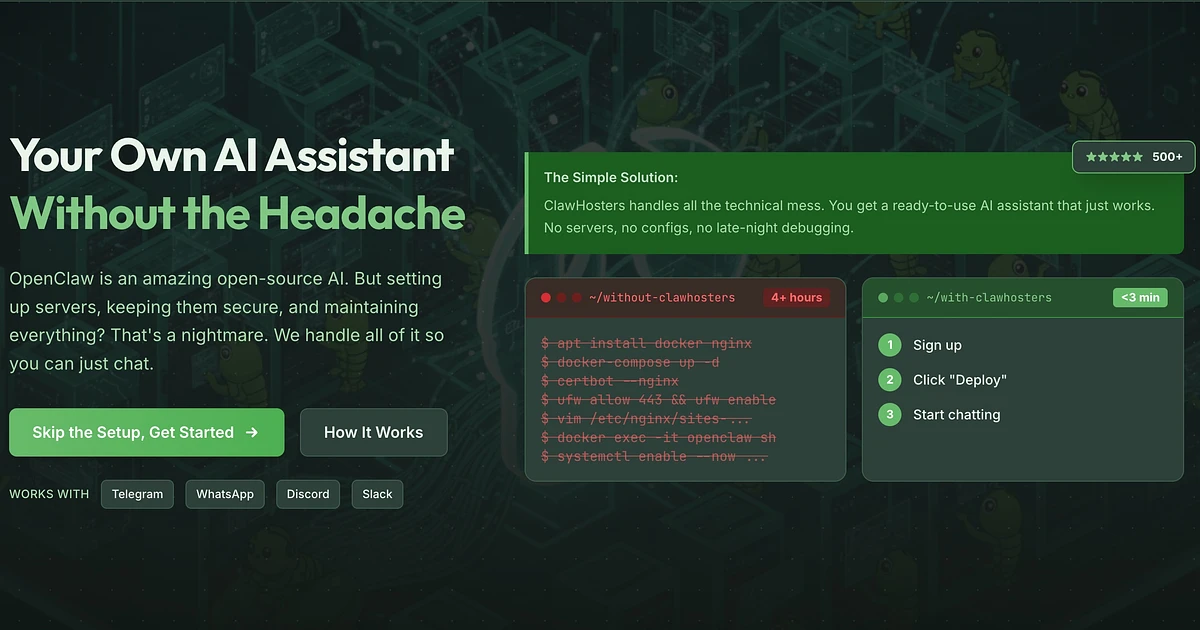
60 seconds. That was the goal. Click a button, get a running OpenClaw instance.
What I actually built: A four-layer security model. A pool of pre-booted VPS instances sitting idle, waiting to be claimed. A container commit system so user changes survive restarts. Dynamic routing through Redis. All of it running from one Rails app. By myself. In about a week.
The domain registered on February 5th. This post went up six days later.
Here's what I learned in the rabbit hole. If you're curious about why I built ClawHosters in the first place, that's a separate story.
Quick context for those who haven't heard of it. OpenClaw is an open-source AI agent framework. You run it on a server, connect it to an LLM (Claude, GPT-4, Gemini, whatever), and it gives you a personal AI assistant that works across Telegram, Discord, Slack, and WhatsApp. It can browse the web, run code, install packages, automate tasks. It's probably the most capable self-hosted option I've seen so far.
Think of it as a self-hosted AI assistant that actually does things, not just chats.
The problem? Running it yourself is a pain.
I tried setting up OpenClaw on a VPS back in late 2025. The process looked something like this:
...and you're only halfway done.
That's probably 45 minutes if you know what you're doing. Most people don't. And most people don't want to. They want their AI assistant running on Telegram, and they want it running now.
So I built ClawHosters. A managed OpenClaw hosting platform. Pick a tier, click a button, get a running instance with a subdomain. The goal was 60 seconds or less, making OpenClaw hosting as simple as signing up for a SaaS product.
I hit that target. But getting there took me down a few rabbit holes.
Here's the full request path for our OpenClaw hosting infrastructure when someone visits mybot.clawhosters.com:
User browser
  |
  v
DNS (Cloudflare)
  |
  v
Production server (203.0.113.1)
  |
  v
Traefik (reads routing from Redis)
  |
  v
Customer's Hetzner VPS (IP from Redis)
  |
  v
VPS nginx (validates Host header)
  |
  v
Docker container (port 18789)
  |
  v
OpenClaw gateway serves response
Every request goes through this chain: the user's browser hits Cloudflare, which resolves to my production server. Traefik on that server looks up the subdomain in Redis, finds the target VPS IP, and proxies the request to it. The VPS runs nginx that validates the Host header (rejecting direct IP access), then forwards to the Docker container running on port 18789. The OpenClaw gateway inside the container serves the response. Each subdomain also requires HTTP Basic Auth, configured per-instance through Traefik middleware keys in Redis. And the VPS itself only accepts connections from my production server's IP (enforced at the Hetzner Cloud Firewall level), so there's no way to bypass the proxy chain.
The whole platform runs inside a single Rails app (the same one that serves my portfolio site). ClawHosters has its own domain, but nginx rewrites clawhosters.com/* to the Rails app's /openclaw/* routes.
My first attempt used cloud-init to set up everything from scratch on a fresh Ubuntu VPS:
#cloud-config
packages:
  - docker.io
  - docker-compose
  - fail2ban

runcmd:
  - systemctl enable docker
  - docker pull ghcr.io/phioranex/openclaw-docker:latest
  # ... install Playwright browsers
  # ... configure iptables
  # ... start containers
This worked, sort of. It took about 5 minutes. Sometimes longer if the Docker image pull was slow.
Five minutes is fine for a dev setting up a server. It's terrible for a product promising quick deployment.
The fix was obvious in hindsight: pre-bake everything into a Hetzner snapshot. This approach is the foundation of fast OpenClaw hosting. By eliminating installation steps, we turn 5-minute provisioning into 60 seconds.
The snapshot contains:
Ubuntu 24.04 with security updates
Docker and docker-compose, already installed
The OpenClaw Docker image, already pulled
Playwright Chromium browsers in a named Docker volume
Basically everything that takes time to download or install is already there.
iptables firewall rules
fail2ban, configured and running
Our custom SSH-enabled OpenClaw image (clawhosters/openclaw-ssh)
When we create a VPS from this snapshot, cloud-init only does two things:
runcmd:
  - dpkg-reconfigure openssh-server   # regenerate host keys
  - systemd-machine-id-setup          # unique machine ID
  - systemctl restart docker
  - systemctl restart fail2ban
That's it. Nothing gets installed, nothing gets pulled. The VPS boots in 30-60 seconds, fully ready for deployment.
Deployment itself is another 20-30 seconds: SSH in, upload docker-compose.yml and config files via SCP, run docker-compose up -d, wait for the health check to pass. The whole thing, from "click create" to "your instance is running," takes about 90 seconds.
But 90 seconds still felt slow for something marketed as "one-click deployment."
Here's where our OpenClaw hosting approach gets a bit unusual.
Even with snapshots, Hetzner still needs 30-60 seconds to create a VPS. That's time the user is staring at a loading screen, and in my experience that feels way longer than it actually is. So I maintain a pool of pre-provisioned VPS instances that sit idle, already booted and SSH-ready.
When a customer creates an instance:
ClaimPrewarmedVpsService checks for an available VPS in the poolFullDeployService uploads config files and starts the containersvps = OcPrewarmedVps.claim_for_tier!(@tier)
return not_claimed_result unless vps
unless verify_ssh(vps)
vps.update!(status: :failed)
return not_claimed_result("SSH verification failed")
end
update_hetzner_metadata(vps)
The pool refills asynchronously via PrewarmReplenishJob. A background job checks pool levels and provisions replacement VPS instances from the snapshot. Pretty straightforward, honestly.
With prewarming, the user experience goes from 90 seconds to about 15-20 seconds. Most of that time is uploading config files and waiting for the Docker health check.
This is the part I probably overthought. But I don't regret it.
Here's what I'm dealing with: untrusted Docker containers running as root. Users can install packages, run arbitrary code, browse the web, whatever they want. OpenClaw NEEDS root access because agents install browsers and Python packages at runtime. Non-root containers would break half the use cases.
So how do you make that not terrifying? Multiple layers. Lots of them.
Network-level firewall via Hetzner's API. This is the layer I trust most because it gets applied to every VPS at creation, before anything else runs.
firewalls: Array(OpenClaw::Config.firewall_id)
Rules allow inbound traffic only from our production server IP:
| Port | Protocol | Source | Purpose |
|---|---|---|---|
| 22 | TCP | 203.0.113.1/32 | Host SSH |
| 2222 | TCP | 203.0.113.1/32 | Container SSH |
| 8080 | TCP | 203.0.113.1/32 | HTTP (Traefik proxies here) |
| 9090 | TCP | 203.0.113.1/32 | Prometheus metrics |
| ICMP | Any | 0.0.0.0/0 | Ping/health |
Everything else is dropped before it reaches the VPS. So even if someone finds the VPS IP address, they can't connect to anything. All traffic must flow through our production server and Traefik.
Baked into the snapshot. Default policy is DROP for INPUT and FORWARD, ACCEPT for OUTPUT (with exceptions).
The interesting rules:
# Block outbound SMTP (prevents spam relay)
iptables -A OUTPUT -p tcp --dport 25 -j DROP
iptables -A OUTPUT -p tcp --dport 465 -j DROP
iptables -A OUTPUT -p tcp --dport 587 -j DROP

# Block outbound IRC (prevents botnet C2)
iptables -A OUTPUT -p tcp --dport 6667 -j DROP
iptables -A OUTPUT -p tcp --dport 6697 -j DROP

# SYN flood protection
iptables -A INPUT -p tcp --syn -m limit --limit 30/s --limit-burst 60 -j ACCEPT
Why both layers? If someone manages to flush iptables inside the container (they shouldn't be able to, but let's say they do), the Hetzner Cloud Firewall still blocks everything at the network level. And if Hetzner's firewall has a bug or misconfiguration, iptables catches it.
SSH brute-force protection. Three failed attempts and you're banned for an hour. Baked into the snapshot, running on every VPS. Though honestly, brute-forcing is impossible anyway: password authentication is disabled entirely. Both the host SSH (port 22) and container SSH (port 2222) accept public key authentication only. fail2ban is belt-and-suspenders for the edge case where someone misconfigures sshd_config.
Layer 4 is boring but necessary. Docker daemon config:
{
  "no-new-privileges": true,
  "log-driver": "json-file",
  "log-opts": { "max-size": "50m", "max-file": "3" },
  "default-ulimits": {
    "nofile": { "Hard": 65536, "Soft": 32768 }
  }
}
Log rotation so disks don't fill up. no-new-privileges stops privilege escalation. File descriptor limits so a rogue process can't eat them all.
Is four layers overkill? Probably. But I've seen what happens when you trust a single security boundary and it fails.
This one was a design decision I went back and forth on. Should Docker hosting for OpenClaw include direct container SSH access, or keep it locked down?
Users sometimes want to install custom packages, debug issues, or customize their OpenClaw instance beyond what the web UI allows. At least, that's what I'd want if I were a customer. The question was: do I give them SSH access to the actual Docker container?
I decided yes, but with conditions.
We build a custom Docker image (clawhosters/openclaw-ssh) that extends the community OpenClaw image with an OpenSSH server. Port 2222 on the host maps to port 22 inside the container. The SSH server starts automatically, but with an empty authorized_keys file. So even though the port is mapped, nobody can connect until the user explicitly enables SSH and provides their public key.
class EnableSshAccessService
  SSH_HOST_PORT = 2222

  def call
    validate!
    @instance.enable_ssh!(public_key: @public_key)
    configure_ssh_in_container
    # ...
  end
end
The service SSHs into the VPS (using our master key on port 22), then uses docker exec to write the user's public key to /root/.ssh/authorized_keys inside the running container. No container restart needed.
The catch: enabling SSH permanently marks the instance as no_support. We can't guarantee stability if you've been installing random packages and modifying system files. The user sees a clear warning before they confirm.
The container runs as root. That's intentional. OpenClaw agents need to install browsers, Python packages, Node modules at runtime. Running as a non-root user would break half the use cases.
This one's my favorite, even though it's embarrassingly simple. It's what separates basic VPS provisioning from a truly managed OpenClaw hosting experience.
Docker containers have a writable layer that gets destroyed when the container is removed. If a user runs apt-get install ffmpeg inside their OpenClaw container and we later redeploy (for a config change, or an OpenClaw update), ffmpeg is gone.
The solution: CommitContainerService.
Before any restart or redeploy, we run docker commit on the running container to save its entire filesystem state as a new image:
def perform_commit(ssh)
  container_name = Shellwords.escape("openclaw-#{@instance.id}")
  committed_image = "clawhosters/openclaw-#{@instance.id}-user:latest"

  # Only commit running containers
  status = ssh.exec!("docker inspect -f '{{.State.Running}}' #{container_name}")
  return skip_result unless status.strip == "true"

  output = ssh.exec!("docker commit #{container_name} #{committed_image}")
  # ...

  # Store image name so DockerComposeTemplate uses it next time
  @instance.update!(
    metadata: @instance.metadata.merge("committed_image" => committed_image)
  )
end
Next time we generate docker-compose.yml, DockerComposeTemplate checks for a committed image:
def committed_image_or_default
  committed = @instance.metadata&.dig("committed_image")
  committed.present? ? committed : "clawhosters/openclaw-ssh:latest"
end
If one exists, it uses that instead of the base image. The user's installed packages survive the restart.
It's like git for your container's filesystem state, except there's only one "commit" and it gets overwritten each time. Not elegant, but it works and users don't lose their customizations.
One edge case I had to handle: when a VPS is destroyed and recreated (happens during tier changes or migrations), the committed image doesn't exist on the new VPS. FullDeployService clears the committed_image metadata so it falls back to the base image:
def clear_committed_image_metadata
  return unless @instance.metadata&.key?("committed_image")
  @instance.update!(metadata: @instance.metadata.except("committed_image"))
end
Every OpenClaw hosting instance gets a subdomain: mybot.clawhosters.com. I needed a way to route each subdomain to the correct VPS without reloading configuration files.
Nginx would probably work fine for this, but adding a new subdomain means writing a config file and running nginx -s reload. That's fine for a few instances. But I wanted something that updates in real-time without any reload or restart.
Traefik with a Redis provider does exactly this. From what I can tell, Traefik watches Redis for key changes and updates its routing table automatically. No intervention needed.
When an instance goes live, TraefikRoutingService writes a few Redis keys:
redis.multi do |r|
  # Basic auth middleware
  r.set(middleware_key(middleware_name, "basicauth/users/0"), credential)

  # Router: which subdomain maps to which service
  r.set(router_key(subdomain, "rule"), "Host(`#{subdomain}.clawhosters.com`)")
  r.set(router_key(subdomain, "service"), subdomain)
  r.set(router_key(subdomain, "entryPoints/0"), "web")
  r.set(router_key(subdomain, "middlewares/0"), middleware_name)

  # Service: where to proxy traffic
  r.set(service_key(subdomain, "loadbalancer/servers/0/url"),
        "http://#{ip_address}:8080")
end
Within a second or two, Traefik picks up the new keys and starts routing traffic. No restart needed, no config files to reload. Other instances aren't affected at all.
Removing a route when an instance is deleted or paused is just a redis.del on the relevant keys.
I also configure HTTP Basic Auth per instance through Redis middleware keys. Each instance gets its own bcrypt-hashed credential (customer email + auto-generated password). The user sees login credentials in their dashboard and can change the password.
One thing I considered but skipped: TLS termination at the VPS level. Right now, Cloudflare handles TLS for *.clawhosters.com, Traefik receives plain HTTP, and proxies to the VPS over plain HTTP on port 8080. The VPS nginx then validates the Host header to prevent direct IP access. It's not end-to-end encrypted between Traefik and the VPS, but since all traffic flows through our private infrastructure (production server to Hetzner VPS), I'm comfortable with this for now. Probably something I'll revisit.
I've been running this OpenClaw hosting platform in production for a few months now, and a few things bother me.
The Claws virtual currency adds complexity I didn't need on day one. Instead of charging EUR directly, customers buy "Claws" (our internal credit unit) and instances consume Claws daily. The conversion rate, prorated daily costs, balance checks on provisioning, timezone-dependent billing cycles... I probably should have started with simple Stripe subscriptions and added the credit system later. Or never. I've written before about turning a side project into a product. The pattern is always the same: solve for yourself, help friends, notice demand, ship fast.
Snapshot management is still manual, and that bugs me. I have rake tasks to create and refresh snapshots, but the process isn't automated. If the community pushes a new OpenClaw image, I need to manually build a new snapshot with the updated image. I should have a CI pipeline that rebuilds the snapshot weekly. It's on my list.
Then there's the health checks. My health check accepts any HTTP response (200, 301, 302, 401, 403) as "the server is alive." That tells me the container is running and nginx is proxying, but it doesn't tell me that OpenClaw itself is functioning correctly. A more thorough check would verify the gateway endpoint specifically. I haven't had issues yet, but I know this is a gap.
Since people on HN like specifics, here are the real numbers behind our OpenClaw hosting infrastructure:
Provisioning from snapshot (no prewarm): ~60-90 seconds
Provisioning with prewarmed VPS: ~15-20 seconds
Deployment (config upload + container start + health check): ~20-30 seconds
On the business side:
Tiers: EUR 19/mo (2 vCPU, 4GB), EUR 35/mo (4 vCPU, 8GB), EUR 59/mo (8 vCPU, 16GB)
Docker memory limits: 1GB, 2GB, 4GB per tier
Lines of Ruby in the provisioning layer: probably around 2,000
Time spent on the security model: honestly, too long. But I sleep well.
For the curious (I always scroll to this section in other people's posts, so here's the complete OpenClaw hosting tech stack):
Ruby on Rails 8.0 with PostgreSQL and Sidekiq on the backend
Hetzner Cloud for VPS management (API-driven), Cloudflare for DNS and TLS
Traefik with Redis provider for routing
Docker with a custom SSH-enabled image for containers
Nothing exotic so far. The monitoring and SSH layer are probably the least standard parts:
Prometheus + Grafana for monitoring (each VPS exposes metrics on port 9090)
Net::SSH gem for Ruby, ed25519 master key shared across all instances
Everything runs on a single production server (Hetzner dedicated), except the customer VPS instances which are Hetzner Cloud instances. This isn't my first time scaling Rails infrastructure. I've scaled RLTracker to 2.4 million trades and Splex.gg rental automation to 60% market share.
If you want to see our managed OpenClaw hosting platform in action: ClawHosters.com. Budget tier is EUR 19/month. You can connect Telegram, Discord, Slack, or WhatsApp, bring your own API key for Claude/GPT-4/Gemini, and have a running AI assistant in under a minute.
I'm happy to answer questions about any of this. The source isn't open (yet), but I'm thinking about open-sourcing the provisioning and routing layer as standalone libraries. If that's something you'd find useful, let me know.
OpenClaw is an open-source AI agent framework that lets you run your own personal AI assistant. It works across Telegram, Discord, Slack, and WhatsApp, can browse the web, run code, install packages, and automate tasks. Think of it as a self-hosted AI assistant that actually does things, not just chats.
We offer three tiers: Budget (EUR 19/month for 2 vCPU, 4GB RAM), Balanced (EUR 35/month for 4 vCPU, 8GB RAM), and Pro (EUR 59/month for 8 vCPU, 16GB RAM). Each tier includes the VPS, Docker hosting, subdomain, SSL, and automatic updates.
Not currently, but the Budget tier is EUR 19/month, less than most cloud platforms charge for a comparable VPS. You can cancel anytime, and setup takes under 60 seconds.
Very. We use four layers of security: Hetzner Cloud Firewall (network-level filtering), host iptables rules (baked into snapshots), fail2ban with key-only SSH, and hardened Docker daemon configuration. All containers run isolated with strict outbound port blocking (no SMTP/IRC).
Yes. You can enable SSH access to your Docker container through the dashboard. Port 2222 gives you root access inside the container, so you can install custom packages or debug issues. Note that enabling SSH marks your instance as `no_support`.
Your VPS and all data are deleted when your subscription ends. If you've enabled SSH and made customizations, those are preserved between restarts via `docker commit`, but won't survive account cancellation. Always export important data before canceling.
Yes. ClawHosters is bring-your-own-key (BYOK) by default. You connect your own LLM API keys through the OpenClaw web UI after your instance is provisioned.

Two weeks ago, ClawHosters went live. Today the platform runs with roughly 50 paying customers and 25 more in trial. All from Reddit, no marketing budget, alongside a regular 40-hour job.

Saturday night. Almost eleven. I'm on the couch, beer in hand, some show playing in the background. My phone buzzes. Discord. "Hey Daniel, my bot stopped responding. Can you take a look?"
