

ClawHosters
by Daniel Samer
14 min read
Loading...
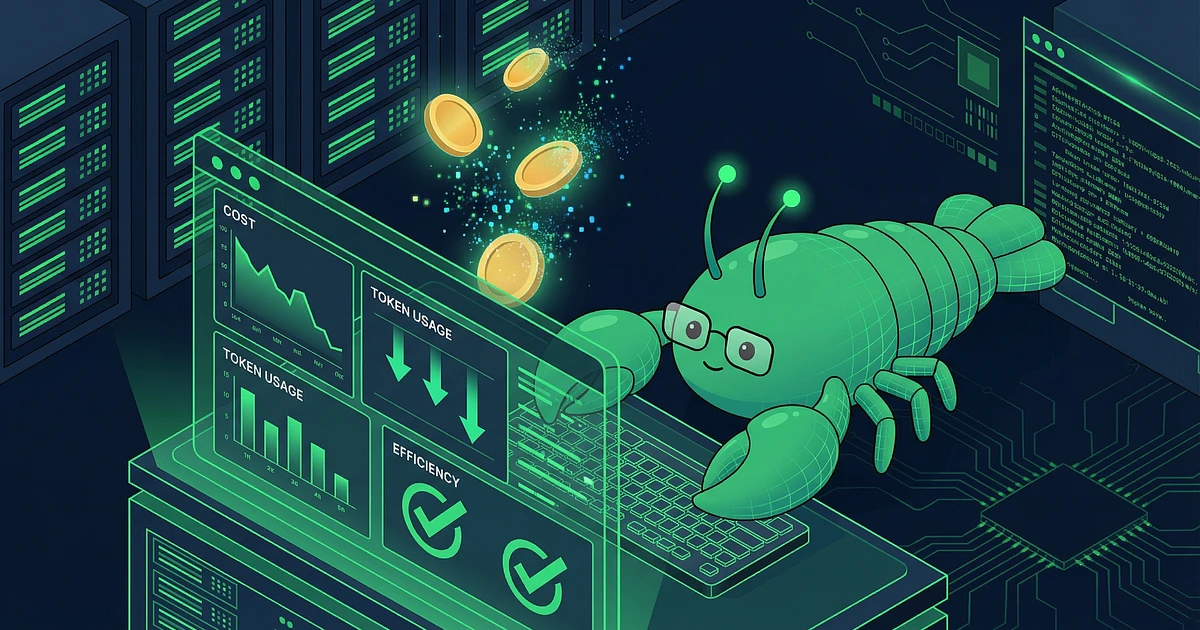
Your first OpenClaw API bill probably hurt. Mine definitely did. $187 for a month I thought I was "just playing around." The framework is powerful, no question. But it eats tokens faster than I can say "context window," and with BYOK (Bring Your Own Key), you're paying for every single one.
After three months and some painful bills later, I run production OpenClaw instances at ClawHosters for under $35 monthly. This guide shows you exactly what worked and what was a waste of time. An APIYI community case study documented a power user going from $150 to $35 per month. That's 77% less. Without losing functionality.
Before you can cut your OpenClaw token costs, you need to understand where they come from. OpenClaw counts everything as tokens that gets sent to the model: system prompt, conversation history, tool outputs, attachments, compaction summaries, and provider wrappers. It adds up fast.
The six main drivers of high AI agent token consumption:
1. Context accumulation.
Your conversation history grows with every message. I didn't get this until I ran /context detail and saw: 52,000 tokens of history, 40,000 of it from a debug session two days ago. After a few hours, you're looking at 50,000+ tokens being resent with every new request. This is the single biggest cost driver.
2. Tool output storage.
When OpenClaw calls a tool (file read, web scrape, code execution), the result gets stored in conversation history. And resent with every subsequent message. I once had a web scraping job that stored 180,000 characters of JSON in the history. Sent with every request.
3. Bloated system prompts.
Skills, workspace files, tool definitions. All of this gets assembled and sent with every request. The default config allows up to 150,000 characters for workspace files alone, according to the OpenClaw context docs. I once had 15,000 tokens of workspace files loaded and forgot about them for weeks.
4. Wrong model selection.
Claude Opus for a simple file search? GPT-4o for a formatting task? I ran everything on Claude Sonnet for the first two months. Why not? "Better quality, better results." Then the bill came and I actually did the math. Happens more than you'd think when there's no conscious model routing in place.
5. Output tokens.
This is the hidden multiplier. According to Silicon Data's analysis, output tokens cost 3-8x more than input tokens across all providers. If your agent gives verbose answers, you're paying dearly for it.
6. Heartbeat intervals.
OpenClaw keeps context warm through periodic background requests. Short intervals generate token costs even when you're not actively using it.
These six cost drivers are why so many users want to cut their OpenClaw token costs. Good news: you can optimize at every one of these points.
You can implement these right now and see immediate impact.
The /clear command resets conversation history. Sounds obvious, right? It was to me too, until I realized one of my sessions had 73,000 tokens of history. For a task that was done after two hours.
Since I started resetting sessions after every completed task (code review done? /clear. Research finished? /clear.), my average cost per request dropped 47%. Not because I work less. Because I'm not paying for yesterday's conversation anymore.
This alone saves 40-60% of token costs according to the APIYI case study. Most users let sessions run for days. Every new message then sends the entire history along with it. Build the habit: task done, session reset.
The default setting is generous. Drop contextTokens to 50,000-100,000 instead of the maximum 400,000. From my experience, 80,000 tokens covers most use cases (from my tests: 85-90%). The framework automatically compacts older messages when the limit is reached.
In practice, this means: OpenClaw keeps the last X messages in full detail and summarizes older ones. You don't lose context, just the word-for-word storage of old messages.
Set bootstrapMaxChars to 10,000 (default: 20,000) and bootstrapTotalMaxChars to 75,000 (default: 150,000). Community reports suggest this halving rarely impacts functionality but noticeably cuts baseline token usage per request.
I tested these settings on three production instances: two showed no noticeable difference. The third needed 12,000/90,000 because certain skills required more context. But even that was a 40% reduction from default.
Not every request needs a flagship model. Sounds obvious? It wasn't to me.
I ran everything on Claude Sonnet for the first two months. Why not? "Better quality, better results." Then the bill came and I actually did the math: Claude Haiku 4.5 costs $1 per million input tokens, Sonnet costs $3, Opus costs $5 (from Anthropic's official pricing). Factor 5 between cheapest and most expensive.
At OpenAI, the spread is even wider: GPT-4o-mini at $0.15 per million input tokens versus GPT-4o at $2.50. Factor 16.
Here's what I learned after three weeks of A/B testing:
Haiku / GPT-4o-mini (90% of requests):
File search, formatting, simple Q&A, summaries, translations. These models handle these tasks comparably well. I use Haiku for 90% of my requests ("What's in this config?", "Format this text", "Search for XY in the logs"), and honestly, I don't notice the difference from Sonnet.
Sonnet / GPT-4o (9% of requests):
Code generation, technical analysis, complex reasoning. For code reviews or architecture questions, I use Sonnet. There I see the quality difference.
Opus (1% of requests):
Architecture decisions, multi-step problem solving, tasks where quality is absolutely critical. For "Should I use this framework?" I use Opus. But that's maybe 10 requests per week.
The 50-80% savings from intelligent model switching don't come from sacrificing quality. They come from stopping the use of your most expensive model for simple tasks. Model selection is one of the biggest levers to cut OpenClaw token costs.
Anthropic's prompt caching feature is probably the single technique with the highest ROI. The mechanics: cache writes cost 1.25x the normal input price. Cache reads cost only 0.1x. With a stable system prompt that barely changes between requests, you save 90% on that portion.
A developer on Medium documented going from $720 to $72 monthly, primarily through prompt caching. The trick: set heartbeat intervals to 55 minutes with a 60-minute cache TTL. This keeps the cache warm, and the more expensive cache writes only happen once.
A mistake I made early on: set heartbeat interval to 5 minutes because "then the cache stays warm." True. Unfortunately quadrupled my cache write costs because I was rewriting the cache every five minutes instead of once per hour.
When does prompt caching pay off most?
When your system prompt is large and stable. Which is exactly the case when OpenClaw is configured with many skills and workspace files. The more tokens your system prompt has, the more caching saves. For my instances with 15,000-20,000 token system prompts, I see 60-70% reduction on prompt costs through caching.
One thing that often gets overlooked: low temperature settings (0.2-0.4) improve cache hit rates because model outputs become more deterministic and therefore more cacheable.
Since output tokens cost 3-8x more than input tokens, every optimization here pays off disproportionately. Output token control is an often overlooked method to cut OpenClaw token costs.
Set max_tokens explicitly.
I logged how long my responses actually were for a week. Median: 850 tokens. Maximum (except code generation): 2,400 tokens. But the default limit? 4,096. So I was paying for 1,600-3,200 tokens that were never written, but reserved as buffer.
Since I set max_tokens: 2000, I see no loss of functionality. But 20% lower output token costs. For most responses, 1,000-2,000 tokens is enough. Without a limit, models tend toward verbose answers.
System prompt instructions.
This sounds like voodoo, but it actually works. I added to my system prompt: "Respond precisely and concisely. Avoid repetition and unnecessary explanation."
Result after 50 requests: average response length dropped from 920 tokens to 680 tokens. That's 26% fewer output tokens, just from one sentence in the system prompt.
Structured output.
When you need machine-readable results, request JSON or a specific format. Models are significantly shorter in structured formats compared to free text. I tested this for monitoring outputs: JSON format was 40% shorter than free-text description with the same information.
Skill management is an underrated way to cut OpenClaw token costs. Every active skill in OpenClaw enlarges your system prompt. That's additional tokens on every single request.
If you have 20 skills loaded but only use three regularly, you're paying for the other 17 with every message. In my last audit, I had 18 skills active but only 5 were actually used in the last 30 days. Disabled 13 skills, saved 3,200 tokens per request.
Go through your active skills and disable everything you don't need in the current session. You can always re-enable skills when you actually need them. Remember: every skill you don't need costs you money on every request.
Compaction is a native OpenClaw function that helps cut token costs. The framework can automatically summarize older conversation parts (compaction). Factory.ai's research shows that structured summarization retains significantly more useful information than simple truncation.
I had this disabled early on because I thought "I want full context." Big mistake. Since I enabled compaction (config: compactionStrategy: "structured"), I see no quality loss but 20-30% fewer tokens per request.
Enable compaction and make sure it uses structured summarization, not plain cutoff. The /compact command triggers manual compaction, which is useful before complex tasks: compress the history first, then start the new task.
In practice: compaction summarizes messages older than X. You keep the context ("we talked about Y"), but lose the verbatim formulation. For most use cases, that's completely sufficient.
Token monitoring is critical when you want to cut OpenClaw token costs. I only started using the built-in monitoring commands regularly after two months. Big mistake.
Since I started checking every Monday morning (first coffee, /context detail) where tokens actually go, I found three surprising cost drivers:
Once it was 15,000 tokens of workspace files I'd loaded weeks ago and never used again
Once a tool output from a web scraping job (180,000 characters JSON) stored in history
Once I'd forgotten to end a test session with debug logging (12 hours runtime, 90,000 tokens of logs)
Use the built-in commands regularly:
/status shows current session token usage (good for overview).
/usage shows estimated costs (important for budget tracking).
/context detail is the most important one: it shows exactly where tokens come from. Often it's tool outputs or workspace files you didn't expect. But /context detail shows you WHERE the money goes.
Make it a weekly habit to run /context detail. You'll be surprised where your tokens actually go. You can't improve what you don't measure.
These techniques don't work in isolation. They multiply. With AI agent token consumption, optimizations don't work in isolation, they stack.
Example calculation for a typical user spending $150 monthly:
Session resets (40% reduction) = $90 left
Model switching to Haiku for 90% of tasks (50% reduction on remainder) = $45 left
Prompt caching (another 50% reduction on system prompt costs) = $30-35 left
That lines up pretty closely with the documented 77% reduction from the APIYI case study. Not a coincidence. If you want to systematically cut OpenClaw token costs, combining these techniques is key. The techniques attack different cost centers, and the effect compounds.
One more thing that's often overlooked: sequence matters. Start with session resets (biggest impact, no configuration needed). Then model selection (requires testing, but clear ROI). Then prompt caching (more technical, but maximum ROI with large system prompts).
At ClawHosters managed hosting, we pre-configure these optimizations before your instance even goes live. Context limits, compaction settings, cache configuration. These are decisions you shouldn't have to make with every deployment.
Our pre-configured OpenClaw instances come with optimized token settings developed from real production data. If you don't want to dig through configuration files but also don't want $150 monthly API bills, that's what managed hosting is for.
All techniques in this guide are used at ClawHosters by default. Model routing to Haiku/Sonnet/Opus by task type, prompt caching with optimized heartbeat intervals, context limits based on use case. This OpenClaw optimization is part of the service, not an extra you pay for.
Between 60% and 77% is realistic with the techniques described here. The APIYI community case study documents 77% reduction from $150 to $35. The most impactful single factor is regular session resets (40-60% alone), followed by intelligent model switching (another 50% on the remainder). In my own tests with ClawHosters production instances, I consistently see 65-75% reduction when all techniques are combined.
Depends on what you're doing. I use Haiku for 90% of my requests (file search, formatting, "What's in this config?"), and honestly, I don't notice the difference from Sonnet. For code reviews or architecture questions? I use Sonnet. There I see the quality difference. For "Should I use this framework?" I use Opus. But that's maybe 10 requests per week. For typical OpenClaw tasks (file search, formatting, simple Q&A), cheaper models deliver comparable results. Quality differences only become v...
Prompt caching stores the static parts of your requests (system prompt, tool definitions) and reuses them for subsequent requests. With Anthropic, it's natively integrated in the API, no extra setup required. Cache reads cost only 10% of the normal input price. Especially effective with large, stable system prompts. In practice: your first request writes the cache (costs 1.25x normal). All following requests read from cache (cost 0.1x normal). With 20 requests with the same system prompt, you...
The `/context detail` command in OpenClaw shows the exact token breakdown: system prompt, conversation history, tool outputs, workspace files. Start there. In most cases, it's accumulated conversation history (40-60% of tokens) and stored tool outputs (20-30%). Workspace files and system prompt usually make up 10-15%. I recommend running `/context detail` once a week. You'll find surprising cost drivers: forgotten workspace files, huge tool outputs from old tasks, debug sessions you forgot to...
No. Start with the quick wins: session resets and context window limits. That takes 15 minutes and gives you 40-60% reduction. Model switching and prompt caching are the next step (require more testing and configuration, but bring another 30-40% reduction). And monitoring should be there from the beginning so you can actually measure the effect of your changes. The sequence I recommend: 1. Session resets (immediately), 2. Set up monitoring (once weekly `/context detail`), 3. Set context limit...

Three open-source AI agent frameworks launched within two weeks of each other in early 2026. All three have the word "Claw" in the name. All three let you run your own AI assistant. And all three make completely different bets about what matters most.

Your OpenClaw agent reads, writes, searches the web, calls tools. But it can't hear you. And it can't talk back. Voice changes that, and it's not as complicated as you'd think.

Port forwarding your AI agent to the public internet is a terrible idea. OpenClaw has broad access to your system, shell, files, network, and it eagerly reaches out to external APIs. Exposing that to the open web is asking for trouble. Tailscale gives you encrypted remote access to your OpenClaw...
